

Private by design
Built for care, not surveillance.
Your parent decides every time, and what they see stays between the two of you. This page sets out what that means for your family, in plain words.
- Recordings
- 0Live sessions are never stored.
- To allow a session
- 1 pressOn the TV, every time.
- Encryption
- CheckedBy your phone, before video starts.
- Ads and data sale
- NoneYour family is the customer.
Step by step
What happens when you press “Connect”.
Four moments, and the second one belongs to your parent.
- 01 / Step
You ask
You press Connect on your phone. Only the account owner, or a helper they added, can send a request to their TV.
- 02 / Step
They decide
Their TV shows your name and photo, with Allow and Refuse. Their remote, their decision. No answer within 60 seconds means no session.
- 03 / Step
Encrypted first
On Allow, the session starts, encrypted. Video appears only after your phone confirms the encryption; if it cannot, there is no video.
- 04 / Step
Nothing kept
While it runs, the TV shows "Connected". When either side ends it, it is over, and nothing from it was recorded or kept.
Four pillars
What it means for your family.
Four commitments that hold for every session, on every plan.
Pillar 01 · Anti-scam
No standing access
There is no unattended mode. Seeing the screen always starts with Allow on the TV; if nobody answers within 60 seconds, nothing starts.
Allow, every session
Pillar 02 · Never stored
Live sessions are never stored
The TV sends video only (the app has no audio permission), and only to the phone of the family member your parent allowed. Nothing from a session is recorded or kept.
0 recordings
Pillar 03 · Their remote
Consent on the TV, not on your phone
Only the TV can approve. A helper cannot approve their own request, and the card shows the real family member's name and photo.
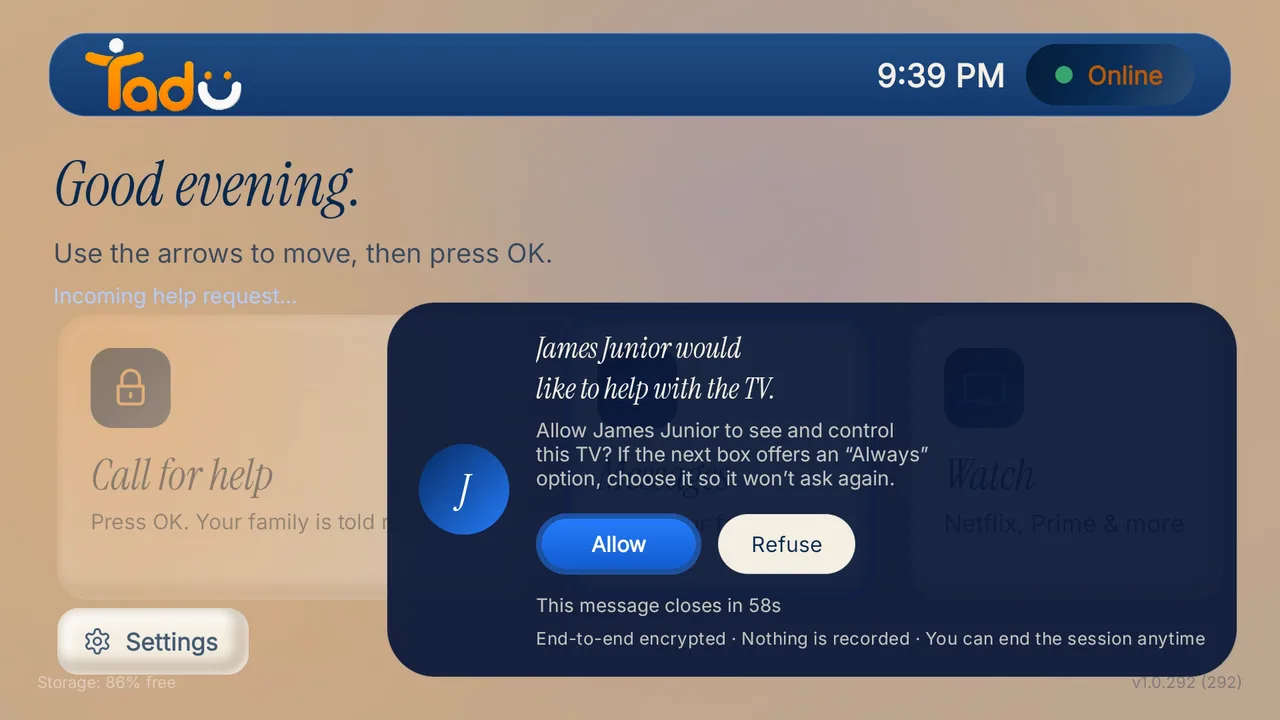
Their remote, their decision
Pillar 04 · The one exception
The only media we store
Reminder photos, encrypted, so the TV can show them at the time you set; deleted when you delete the reminder or your account.
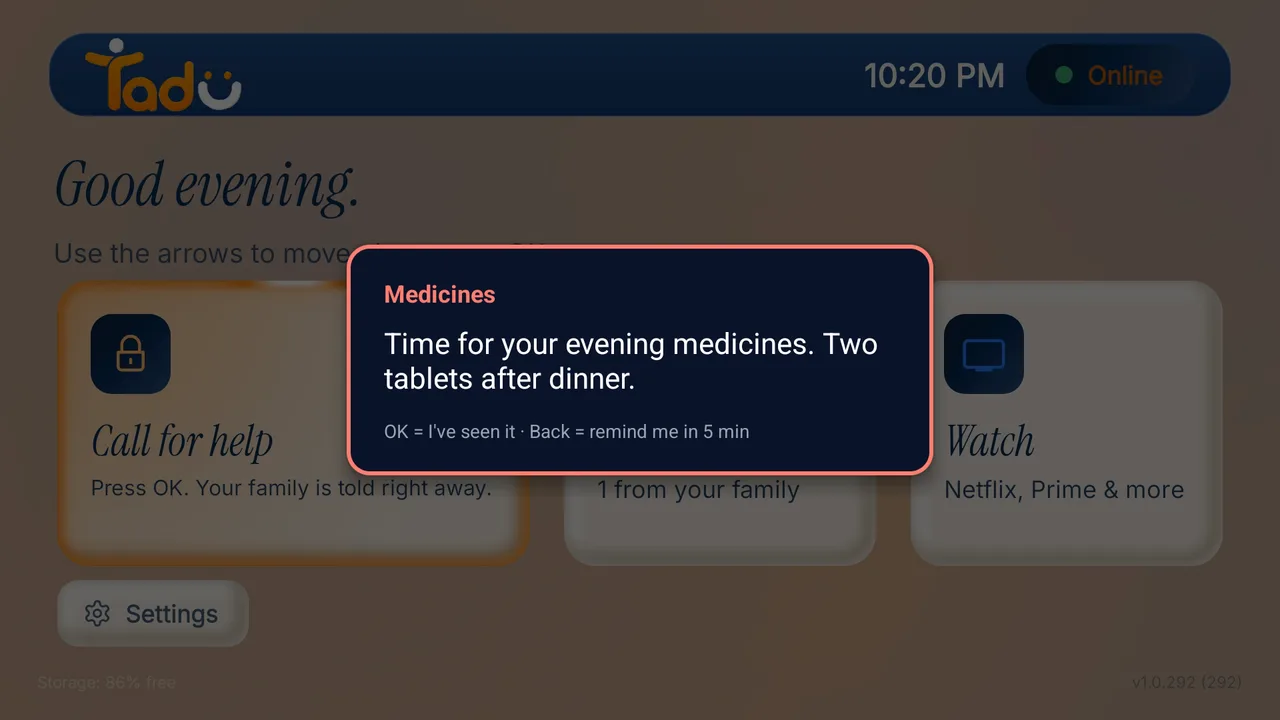
Reminder photos: yours to delete
Anti-scam by design
Why strangers can’t connect.
Nobody can send your parent’s TV a request unless the account owner added them as a helper. The card on the TV shows the real family member’s name and photo, and it says Allow or Refuse in plain words. There is no code for a stranger to read out over the phone.
Why standing remote access is the scam surface →
Your data, your rights
Built for the DPDP Act and the GDPR.
You can see, export and erase what we hold, from the app, under India’s Digital Personal Data Protection Act, 2023 and the GDPR. The binding version is the Privacy Policy.
Data fiduciary
DSIGN DIGITAL TECHNOLOGIES PRIVATE LIMITED
CIN U62091MR2026PTC478956 · India
Grievance Officer
Dipankar Sinha · Raise a grievance
Stored primarily in India
Our primary data storage is in India. Usage analytics are pseudonymous and processed in the EU.
Export and delete
Export your data or delete your account from the app, with a 30-day grace period in which signing in cancels the deletion.
Contact details encrypted
Your email and phone number are stored encrypted and hidden from support staff. Only a senior administrator can reveal one, with a stated reason, and every reveal is logged.
No ads, no data sale
We never sell personal data, and there are no ads on your parent’s screen.
The commitment ledger
Each commitment, in plain words.
The binding version of this page is the Privacy Policy.
| Commitment | What it means |
|---|---|
| Live video | Never recorded, never stored; it exists only while the session your parent approved is running. |
| Reminder photos | Stored encrypted, only so the TV can show the reminder; deleted with the reminder or the account. |
| Consent | Allow on the TV for every screen-sharing session; a helper cannot approve their own request. |
| Encryption | Your phone confirms the session is encrypted before any video appears; if it cannot, there is no video. |
| Email and phone | Stored encrypted and hidden from support staff; a reveal needs a senior administrator and a stated reason, and is logged. |
| Your data | Export and account deletion from the app, with a 30-day grace period in which signing in cancels the deletion. |
| Analytics | Usage analytics are pseudonymous and processed in the EU. |
| Removing a helper | Takes effect within about a second, even in the middle of a session. |
| Ads and data sale | None. Your family is the customer, not the product. |
These are our own engineering and policy commitments; we have not yet undergone independent audit or certification, and we claim none.
What Tadu is not
A helping tool, not a monitoring product.
Not a camera
It never watches, records or reports on anyone, and it has no access to the room.
Not remote desktop
There is no standing or unattended access; every screen-sharing session starts with Allow on the TV.
Not a medical device
Reminders support a routine. Call for help reaches your family, not an emergency service.
Not on every TV
Fire TV, Google TV and Android TV today; not Apple TV, Roku, Samsung or LG.
Questions
The privacy questions families ask.
Does Tadu record or store what is on the TV or in the room?
No. Live sessions (Assist and Live Cast) are encrypted and exist only while a session your parent approved is running; no recordings, screenshots, audio or video from a session are ever kept. There is no camera in the room, because Tadu does not use one. The one media Tadu stores is a photo a family member attaches to a reminder; see the next answer.
Does Tadu store the reminder photos I send?
Yes. This is the one deliberate exception, and we state it plainly. A photo you attach to a reminder is stored encrypted so the TV can show it at the time you set. It is used for nothing else, and it is deleted when you delete the reminder or your account. Nothing is ever captured from the TV or the room; the only stored media is what you chose to send.
What exactly does the parent consent to, and when?
Every screen-sharing session, every time. The TV shows who is asking, with their name and photo, and Allow or Refuse in plain words. One press of their own remote approves it; no answer within 60 seconds means no session. Either side can end a session at any moment, and the TV shows "Connected" while one is live.
Who can see the screen during a session?
Only the family member your parent allowed. The picture goes to their phone, encrypted, and it is never recorded or stored. Video starts only after that phone confirms the session is encrypted; if it cannot, there is no video.
What data does Tadu keep, and where?
Only what the service needs: account details (name, email and an optional phone number, both encrypted at rest), device details, session records (who connected to which TV, and when; never the content), message text for up to 7 days, and your reminders with their photos. Our primary data storage is in India; pseudonymous usage analytics are processed in the EU. You can export or erase your data in the app under the DPDP Act, 2023 and the GDPR.
More in the Help Center.
Read on
Related reading.

Help them, with their yes.
Every session starts with your parent’s Allow on the TV.
Free for 14 days · Fire TV, Google TV and Android TV