Messages on TV
When the phone goes unanswered.
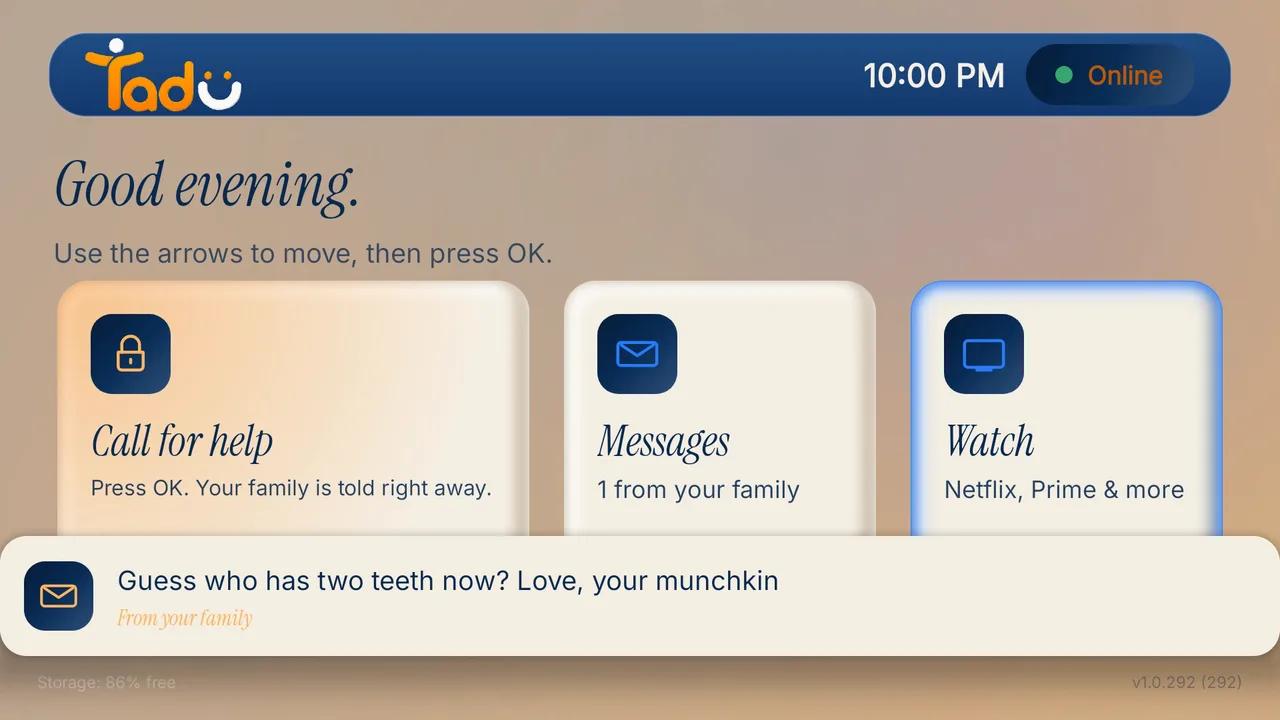
A short note that appears on the screen they are watching, and in the TV's Messages inbox. Urgent messages stay until they press OK.
 Remote family TV care · Tadu Remote by Dsign Digital
Assist, the heart of Tadu
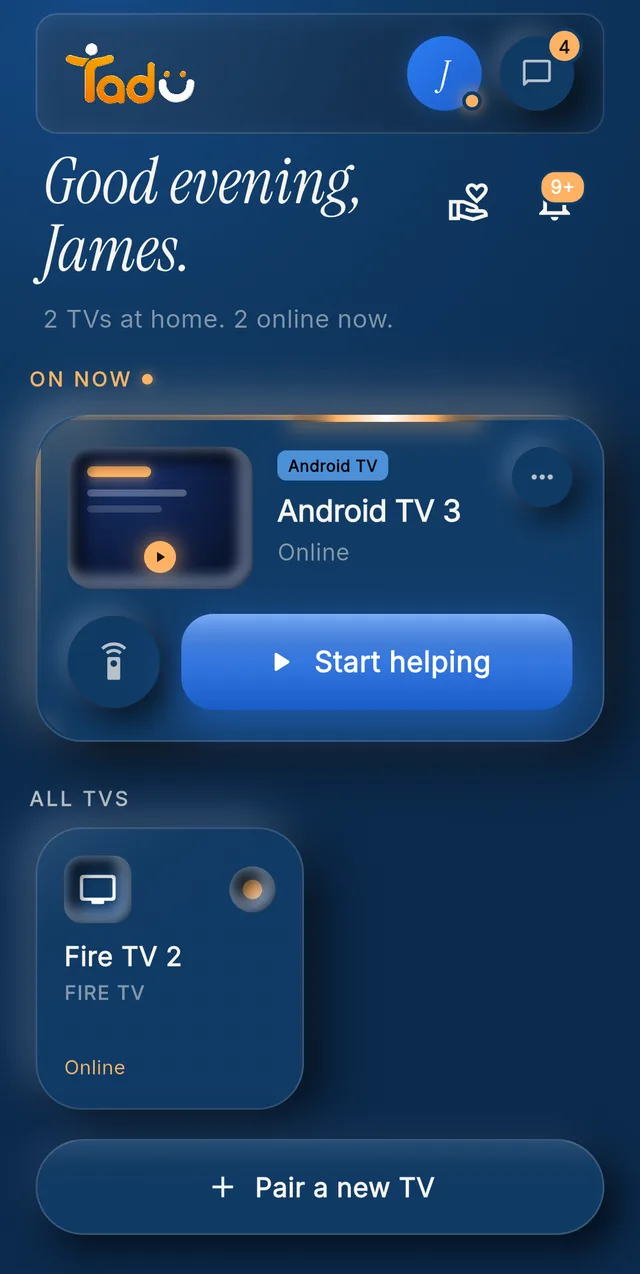
Assist connects you to your parent’s TV over any internet connection. Watch their screen live on your phone and press the buttons for them, with their OK on their own TV, every time.
Your phone
Their TV: the free Tadu TV app for Google TV, Android TV and Fire TV.
14-day free trial · Works on Fire TV, Google TV & Android TV
No new device for a Fire TV, Google TV or Android TV: it is a free app on the TV they already own. Other TVs add a streaming stick. Which TVs work
Their TV asks first · Shown with a demo account
Why this exists
Tadu makes the distance one tap wide.

Assist
An app froze. A login expired. Instead of a long phone call, you see the same screen they see, live, only after they press Allow.
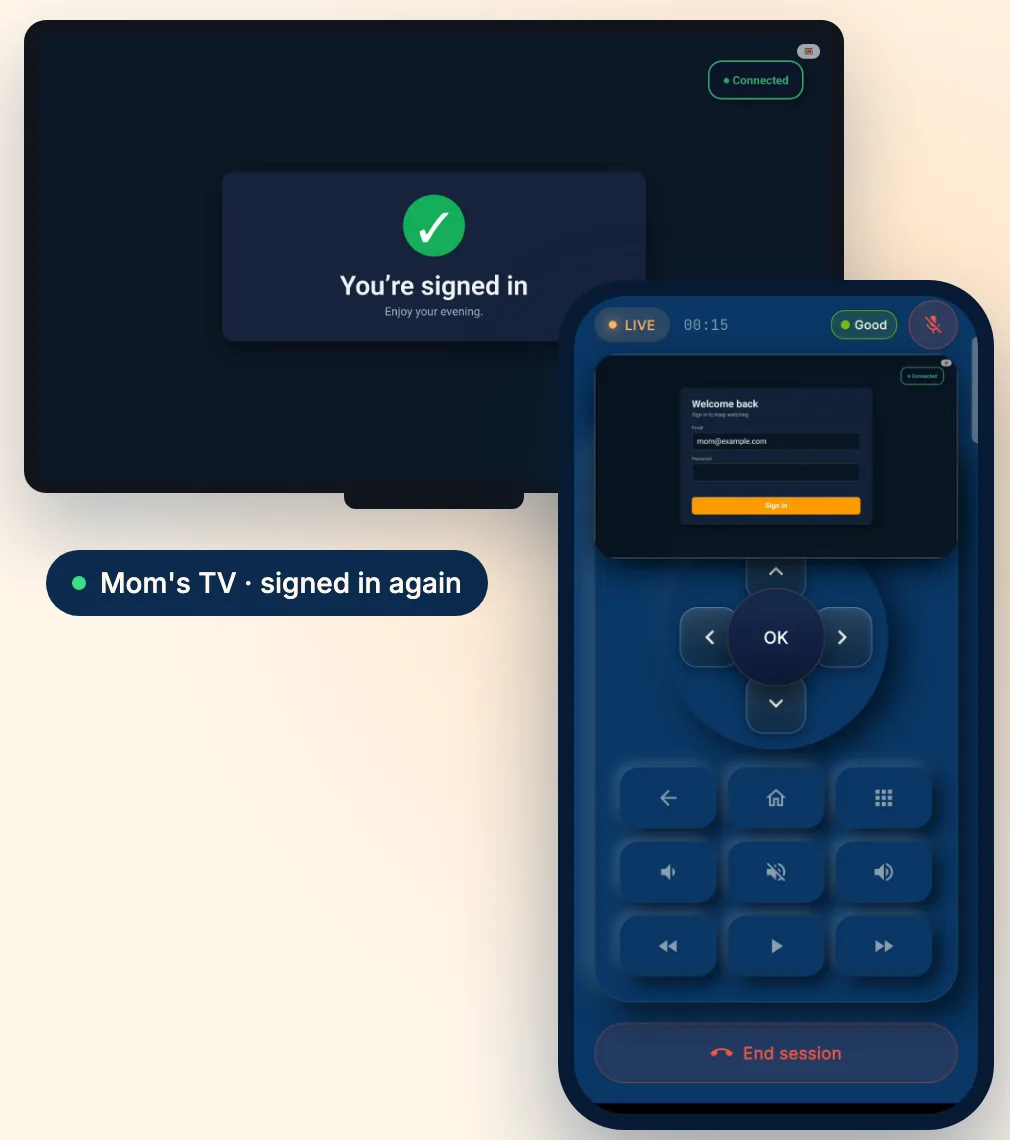
Tap their TV in your app, from the next street or another country. Any ordinary internet connection works; there is no same-Wi-Fi requirement.
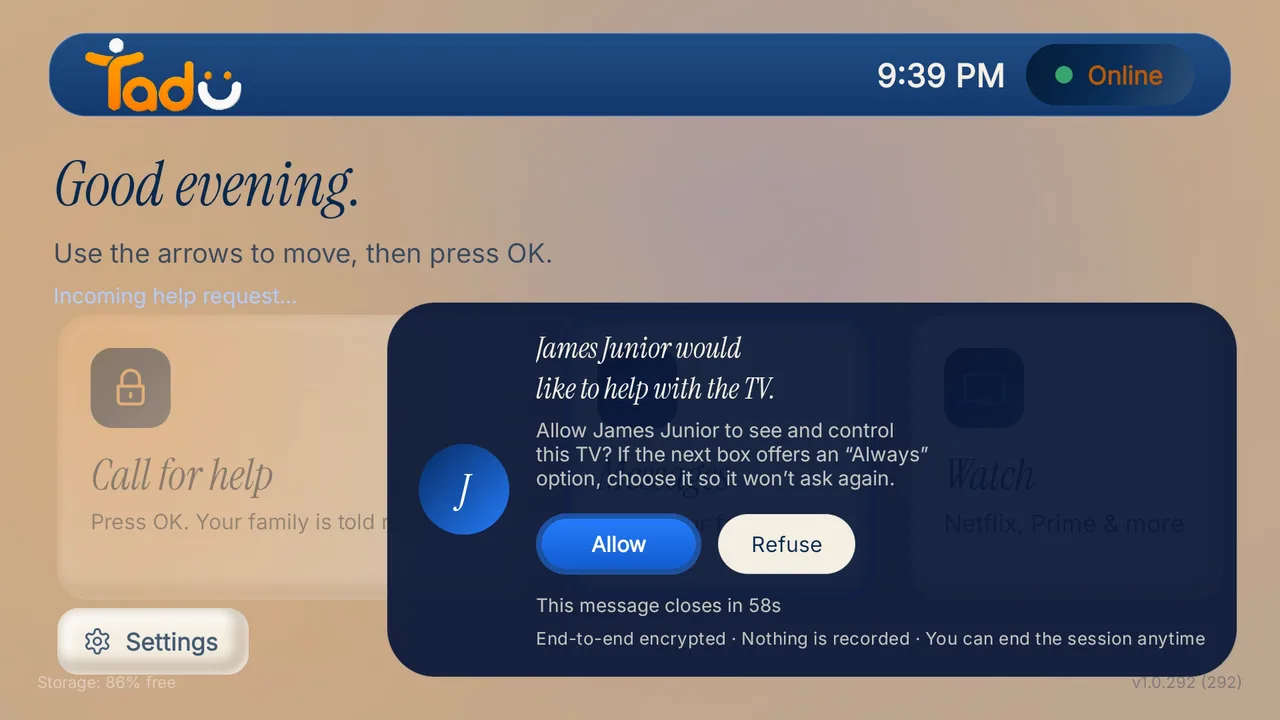
Their TV shows your name and photo with Allow and Refuse. One press of their own remote. No answer within 60 seconds means no session.
Their screen appears on your phone as it happens. Encrypted, never recorded or stored.
You press the buttons: reopen the app, sign it back in, clear the prompt.
On their home Wi-Fi your phone is a free remote, no plan needed.
Try it
Six short demos on a sample phone and TV. Tap the glowing button to play your part, or wait and it carries on by itself.
A simplified demo with sample names and screens. What you can do, and how it looks, depends on their TV model, its software and your phone. Every screen-sharing session needs their Allow on the TV.
Set up their TV
Install Tadu on their Google TV, Android TV or Fire TV, then pair it with your phone using the 6-character code it shows. It takes a few minutes, once.
Google TV · Android TV
Open the listing, choose Install and pick their TV, or search “Tadu Remote” in Google Play on the TV itself.
Fire TV
On the Fire TV, search the Amazon Appstore for “Tadu Remote” and install it. The TV app is free.
For the parent
One page to keep by the TV that explains Tadu to your parent, in 11 languages.
Tadu is an app on the TV, so the TV has to be able to install it. Most can; for the rest, a streaming stick does the job.
Amazon doesn’t let apps like Tadu run on its new Vega OS yet. To check a Fire TV, open Settings › My Fire TV › About.
What else it does
Messages on TV
A short note that appears on the screen they are watching, and in the TV's Messages inbox. Urgent messages stay until they press OK.
Live Cast
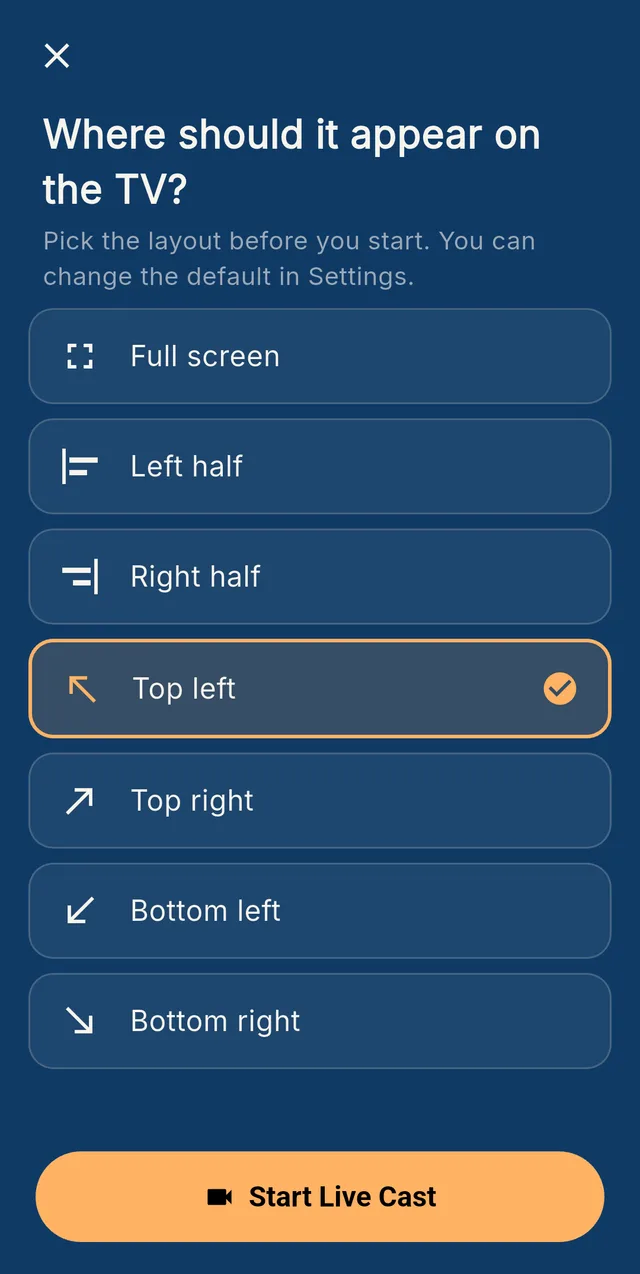
Show them your camera, live, on their TV. They press OK first; nothing is stored.
Photos, told live
Present photos one at a time while you talk; shown live, never stored.

Reminders
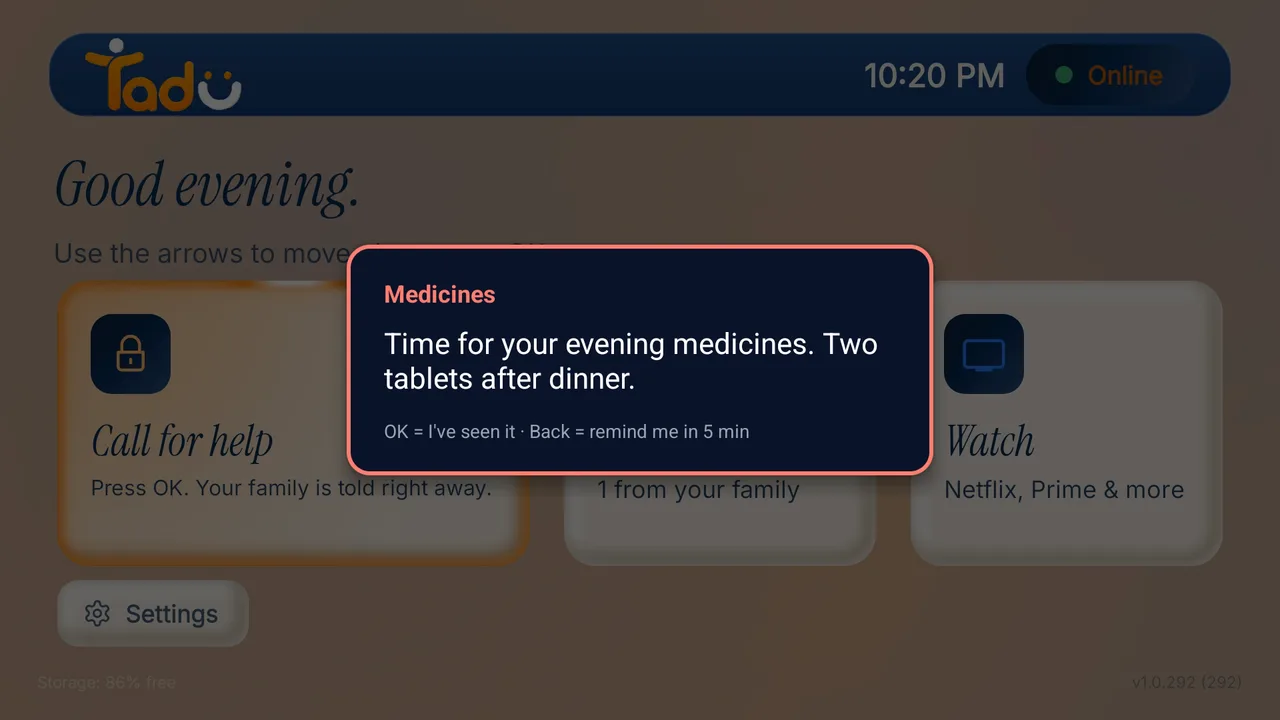
A note or a photo at the time you choose, in their TV's own time zone. 'Must confirm' reminders stay until OK, Back means 'remind me in 5 min', and you are told when they pressed OK.
Helpers
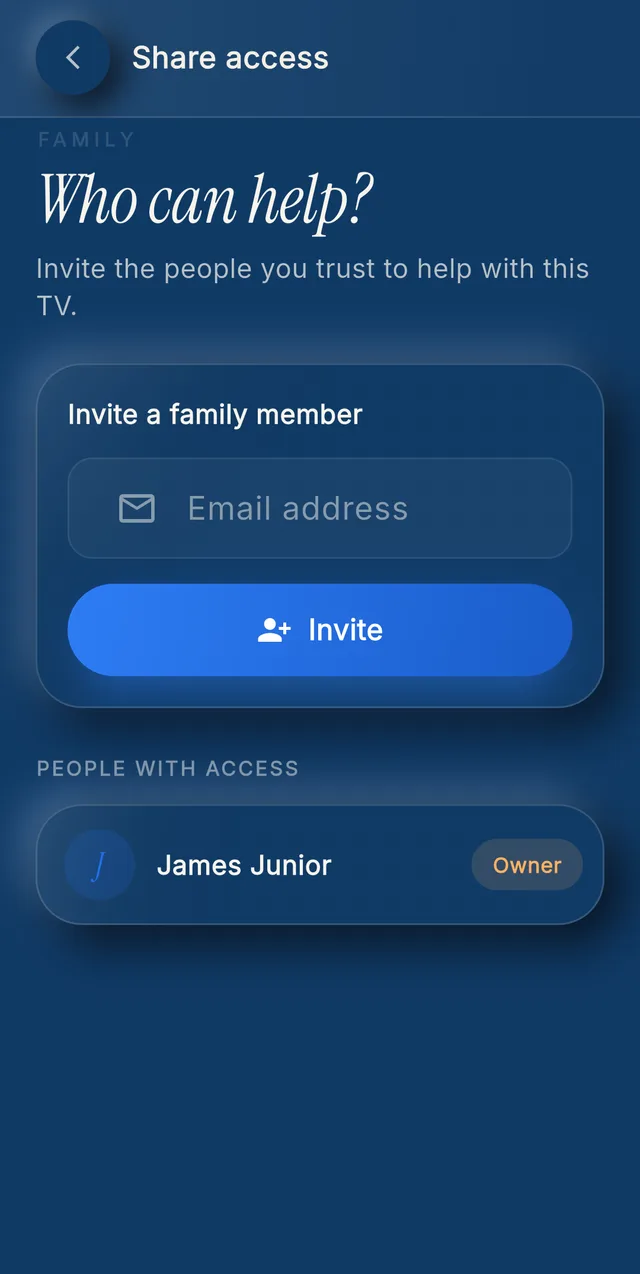
Plus: you plus 2 helpers on 1 TV. Family: you plus 5 helpers on each of up to 3 TVs. Helpers never need their own plan.
Live Cast and Photos use plan minutes over the internet and are free on their home Wi-Fi. Not available in the UAE.
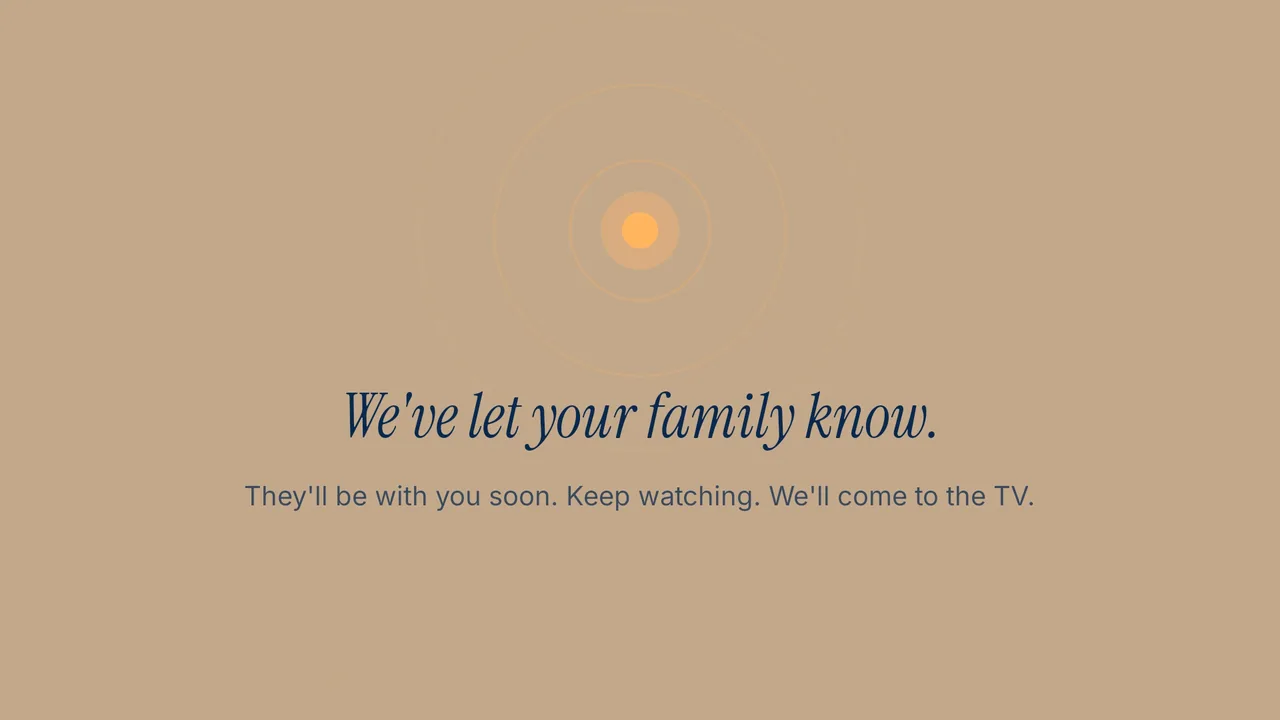
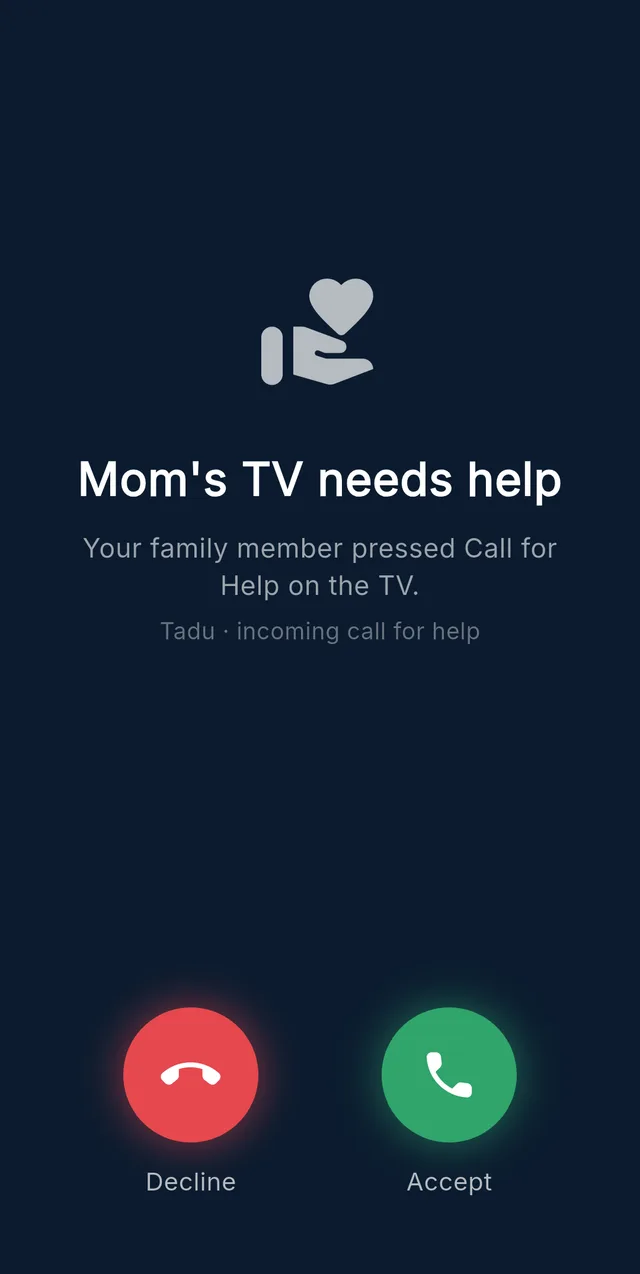
Call for help
It rings every helper’s phone like a call, even when the phone is locked. The first to accept takes it; the others are told. It works on every plan and after the trial.
Private by design
Your parent decides every time. What they see stays between the two of you.
Their screen goes to your phone and nowhere else. Nothing from a session is kept.
0 recordings
Every screen-sharing session starts with Allow on their TV, with your name and photo on the request. No answer within 60 seconds means no session.
Allow on the TV
Every live session is encrypted. If a secure connection can't be confirmed, no video is shown.
Encrypted
We never sell personal data, and there are no ads on your parent's screen. The only media we store is a reminder photo, encrypted and deleted with the reminder or your account.
Reminder photos: yours to delete
Families across borders
Your parents in one country, you in another: Tadu works across countries and networks, because “from anywhere” is the product, not the tagline. Their evening, your afternoon, one connection.





Illustrations, not customers
Honest pricing
Not priced per feature. Priced against the evening you would have spent explaining a settings menu, again.
$9.99/month
1 TV, you plus 2 helpers.
$14.99/month
3 TVs, you plus 5 helpers: the whole circle of support.
Free for 14 days through your app store, then the plan you chose unless you cancel before the end date.
See plans →Questions families ask
Yes. Tadu Remote lets you see and control a parent's Fire TV, Google TV or Android TV from anywhere over an ordinary internet connection. There is no same-Wi-Fi requirement and no hardware hub, because Tadu is a free app on the TV they already own. Your parent presses Allow on their own TV before every screen-sharing session.
Same-Wi-Fi remote apps, including the TV makers' own, need your phone and the TV on the same home network, and they do not show you the screen. Tadu connects across any two networks and shows you their actual screen live, so you can fix what they see. On their home Wi-Fi, Tadu is also a free remote with no plan.
Yes, by design. General remote-desktop tools grant standing access to a device, a common mechanism behind tech-support scams. Tadu grants none of it: your parent approves every screen-sharing session on their TV, every session is encrypted, and sessions are never recorded or stored.
No. Live sessions (Assist and Live Cast) are encrypted and never recorded or stored, so there is nothing from a session to leak. The one thing Tadu does store is a photo you attach to a reminder, kept encrypted so the TV can show it at the time you set, and deleted when you delete the reminder or your account.
No. Every screen-sharing session requires their approval on the TV itself, showing your name and photo. If they do not answer within 60 seconds, there is no session. Tadu is built for consent, not covert access, and either side can end a session at any moment.
Yes. Assist shows their actual TV screen and lets you control it from your phone: relaunch an app, find their show, sign back in, clear an error message. Apps with copy protection (most streaming services) show black in the live view, but your controls still work. All of it over the internet, with their Allow on the TV, on Fire TV, Google TV and Android TV.
Yes. A message is a short text note ("Take my call", "Open the door") that appears over the programme they are watching and in the TV's Messages inbox; urgent messages stay until they press OK. Messages are kept up to 7 days, then deleted. Photos reach the TV live: present them one at a time during a session, or attach one to a reminder. Nothing presented live is stored.
Yes. From your phone, set a reminder (a note, a photo, or a photo with a note) and it appears on their TV at the time you choose, in the TV's own time zone, once, daily, weekly or monthly. 'Must confirm' reminders stay until they press OK, Back means 'remind me in 5 minutes', and you are told when they pressed OK. Reminders support a routine; they are not a medical device.
One press on their TV (or holding OK for two seconds) rings every family helper's phone like a call, even when the phone is locked. The first to accept takes it and the others are told. It works on every plan and after the trial.
Yes. Tadu works across countries and networks: install the free app on their Fire TV, Google TV or Android TV, and from your phone anywhere else see their screen, fix apps, show them photos live, or drop a message on their TV. Every screen-sharing session needs their Allow on the TV and is encrypted.
More answers in the Help Center, the guides, and why standing remote access is the wrong model.

The next time the TV “breaks”, you’ll have it fixed before the frustration starts.
Free for 14 days · Works on Fire TV, Google TV and Android TV
Setting up the TV takes a few minutes: see the guides.