

For the person at the TV
A card to keep by the remote.
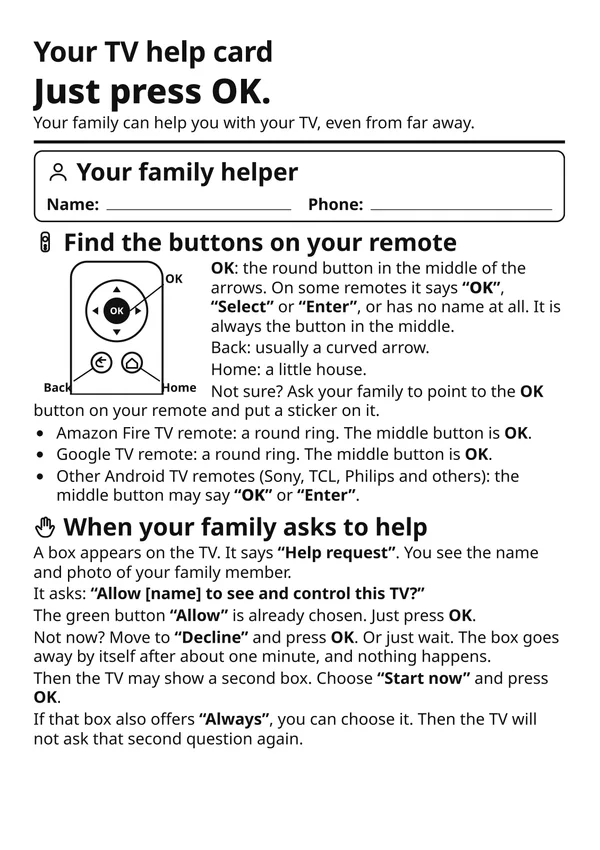
One page, large type, in your parent’s language: what the Tadu screens mean and which button to press. Print it, or save it to their phone.
Free · One page · 11 languages · Fire TV, Google TV and Android TV remotes
What's on the card
Six things, in plain words.
- 01 / The buttons
Which button is OK on their remote (the round one in the middle of the arrows, whatever the remote calls it), plus Back and Home, for Fire TV, Google TV and other Android TV remotes. Tip: put a sticker on OK.
- 02 / Family asks to help
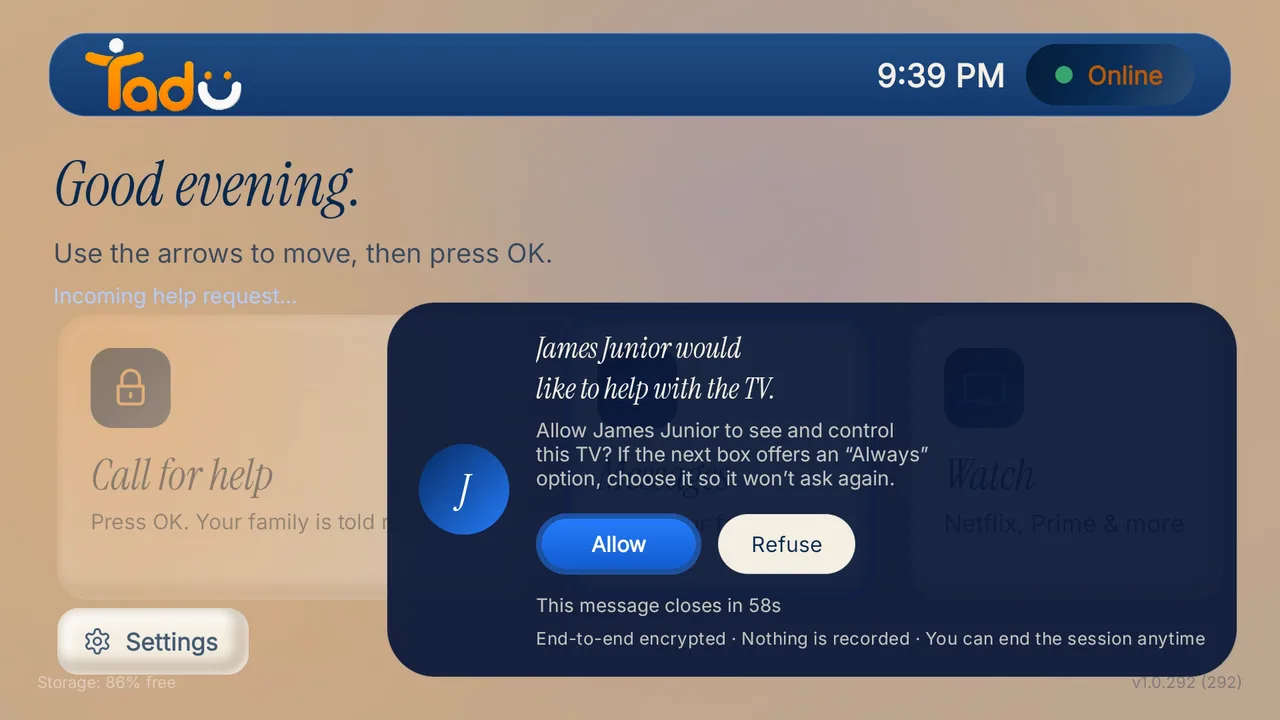
When your family asks to help: a box appears saying "Help request" with your name and photo; "Allow" is already chosen, so they just press OK. Not now? Wait about a minute and it goes away by itself. A second box may say "Start now".
- 03 / Family camera
When your family shows their camera: choose "Allow" and press OK; press Back to stop.
- 04 / Messages & reminders
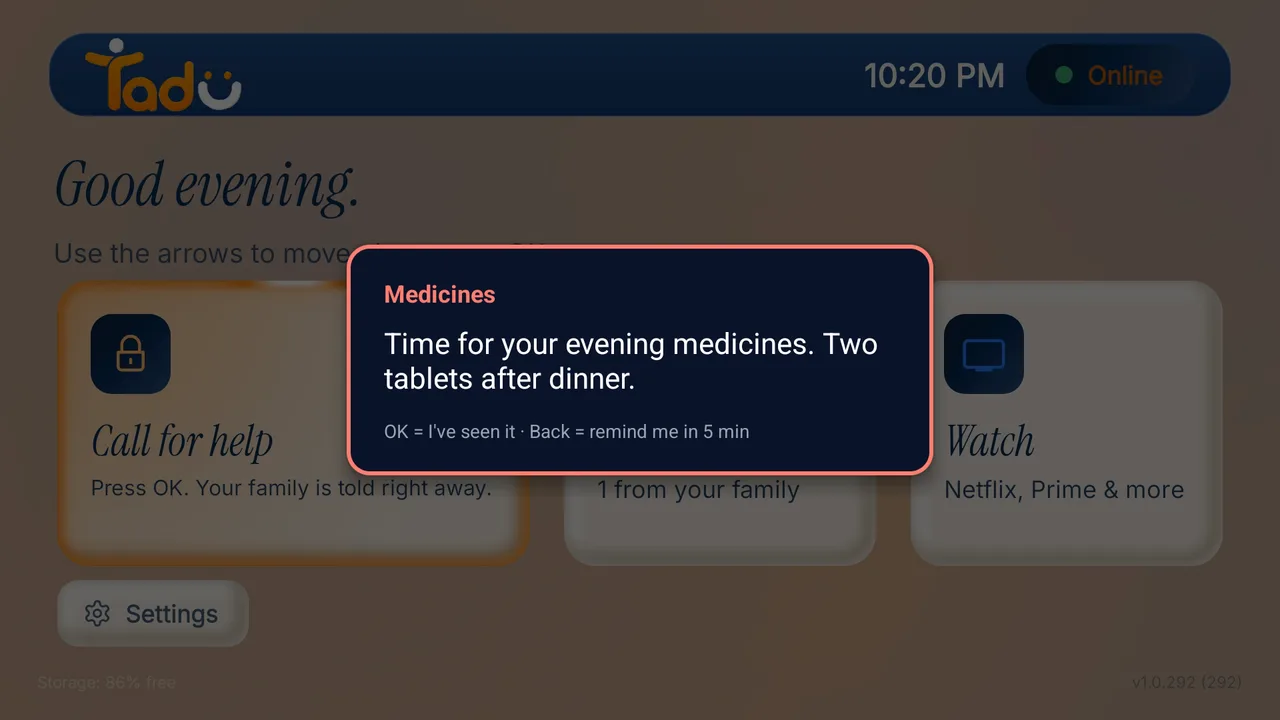
Messages: read it, then press OK ("I've seen it"); an important one says "Urgent message". Reminders: OK means "I've seen it", Back means "Remind me in 5 min".
- 05 / Call for help
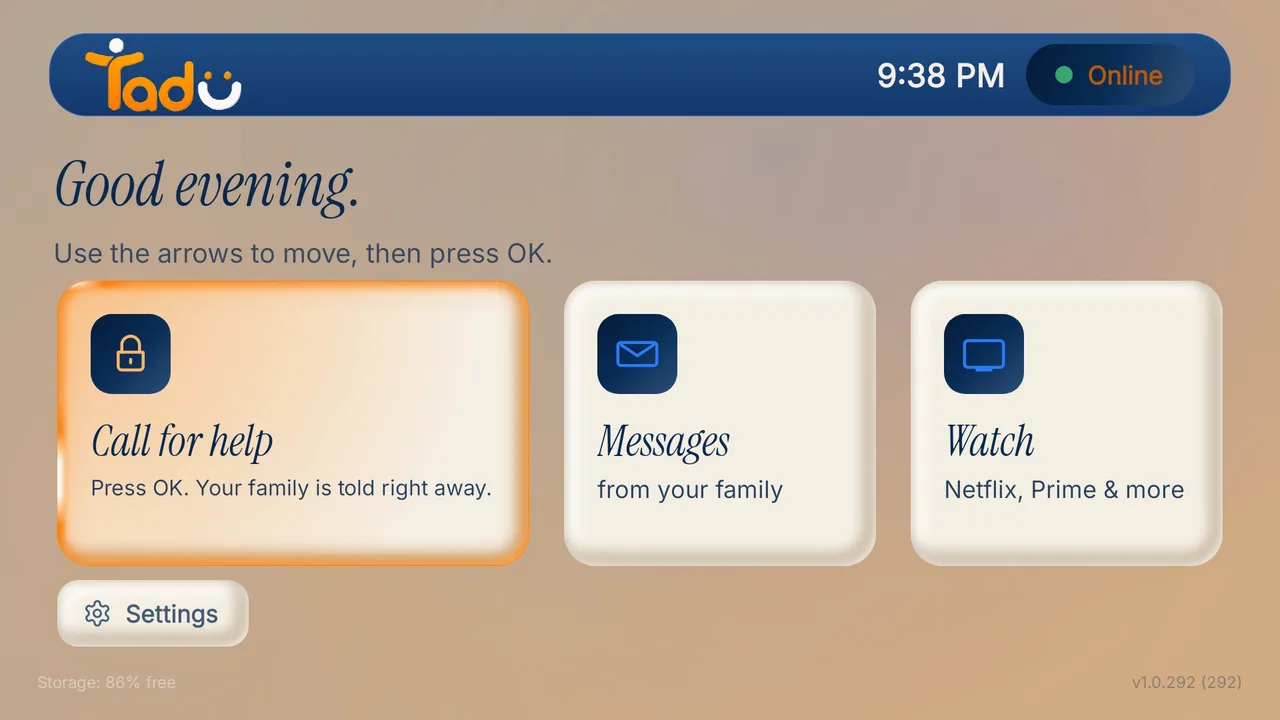
When they need help: open Tadu Remote on the TV and press "Call for help", or hold OK for two seconds. The family is told right away.
- 06 / Privacy
"Nothing is ever recorded." The TV always asks first, every time; the family can see the screen only after they press Allow.
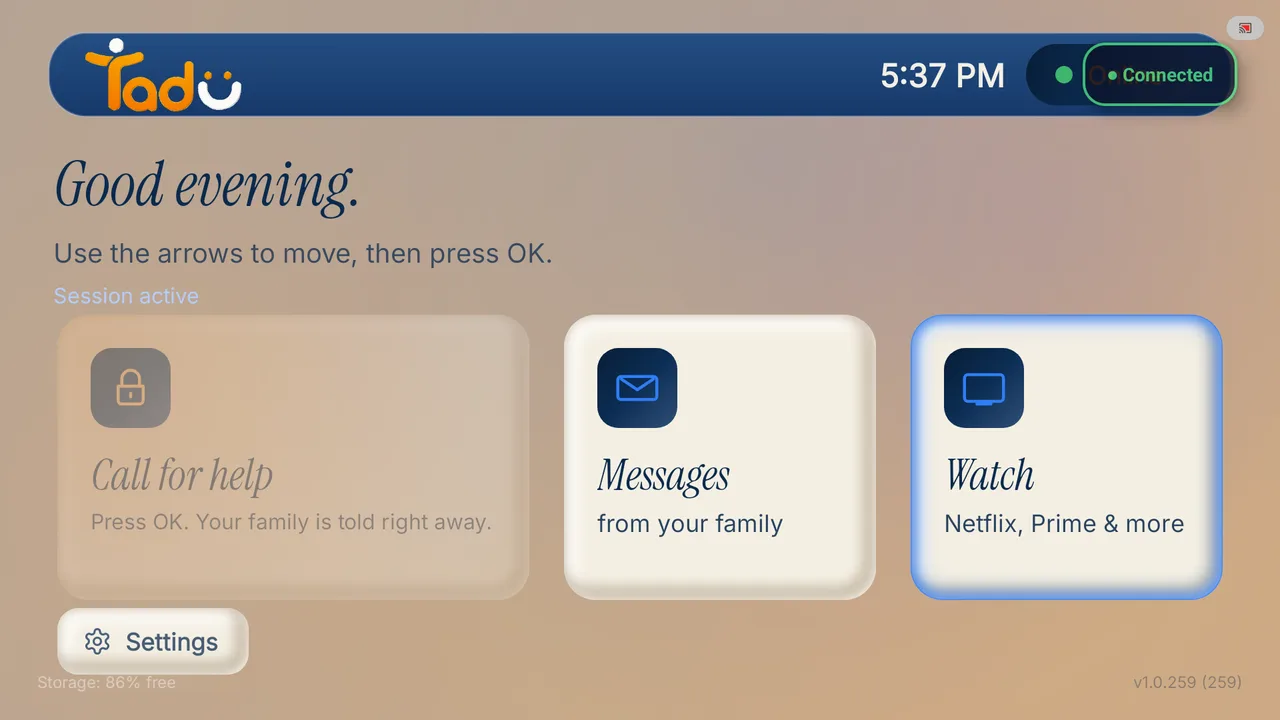
The on-screen words are quoted in English, because the TV app’s screens are in English; each translation keeps the English word and explains it. The translations were drafted by machine from the English card and are awaiting a native-speaker check.
Download
In your parent's language.
Each PDF is one page. Pick the language, print it, and leave it by the remote.

- Download PDF in English
English
English · PDF, 157 KB
- Download PDF in Spanish
Español
Spanish · PDF, 161 KB
- Download PDF in French
Français
French · PDF, 163 KB
- Download PDF in Italian
Italiano
Italian · PDF, 158 KB
- Download PDF in German
Deutsch
German · PDF, 165 KB
- Download PDF in Portuguese
Português
Portuguese · PDF, 169 KB
- Download PDF in Hindi
हिन्दी
Hindi · PDF, 233 KB
- Download PDF in Bengali
বাংলা
Bengali · PDF, 273 KB
- Download PDF in Marathi
मराठी
Marathi · PDF, 253 KB
- Download PDF in Telugu
తెలుగు
Telugu · PDF, 409 KB
- Download PDF in Tamil
தமிழ்
Tamil · PDF, 283 KB
Printing tips
Make it easy to read.
- 01 / Tip
A4 or Letter paper, one page. Choose “Fit to page” if your printer asks.
- 02 / Tip
Print in the largest size your printer allows; the card is designed for large type.
- 03 / Tip
No printer? Save the PDF to your parent’s phone, or to yours, and show it on a video call.
- 04 / Tip
Write your name and phone number in the spaces on the card before you print or hand it over.
Their TV
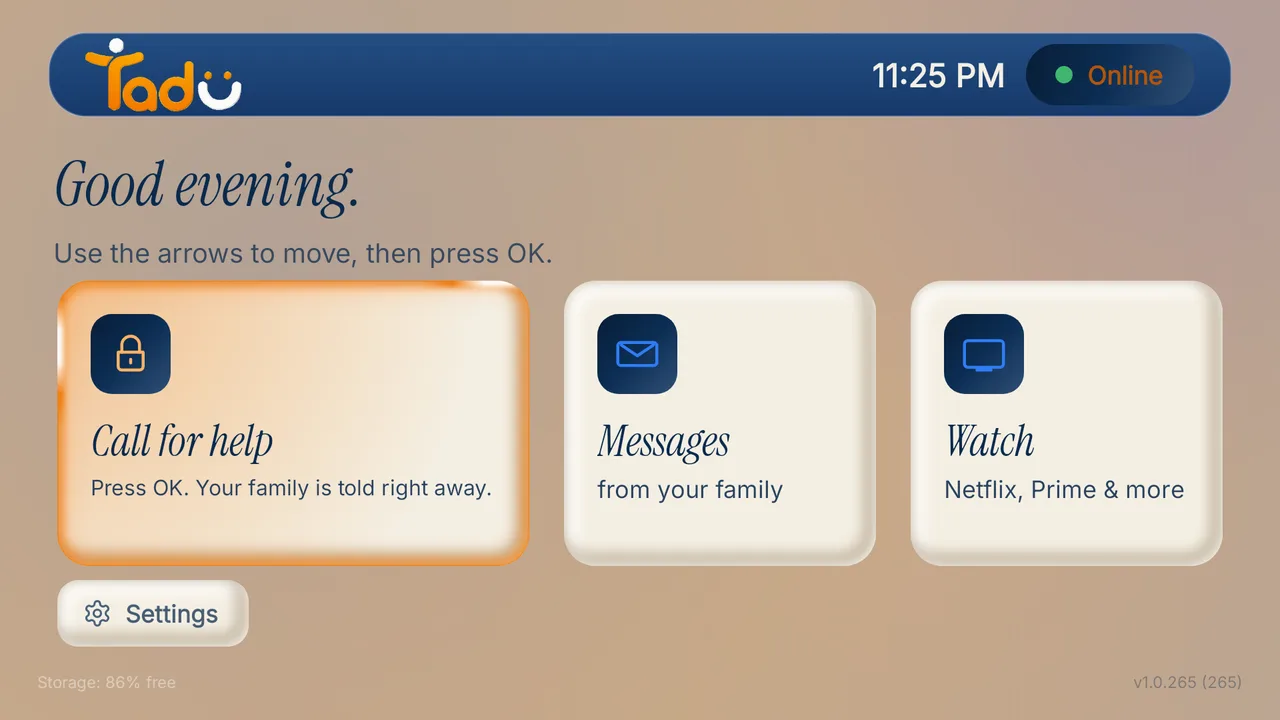
The card explains the free Tadu TV app.
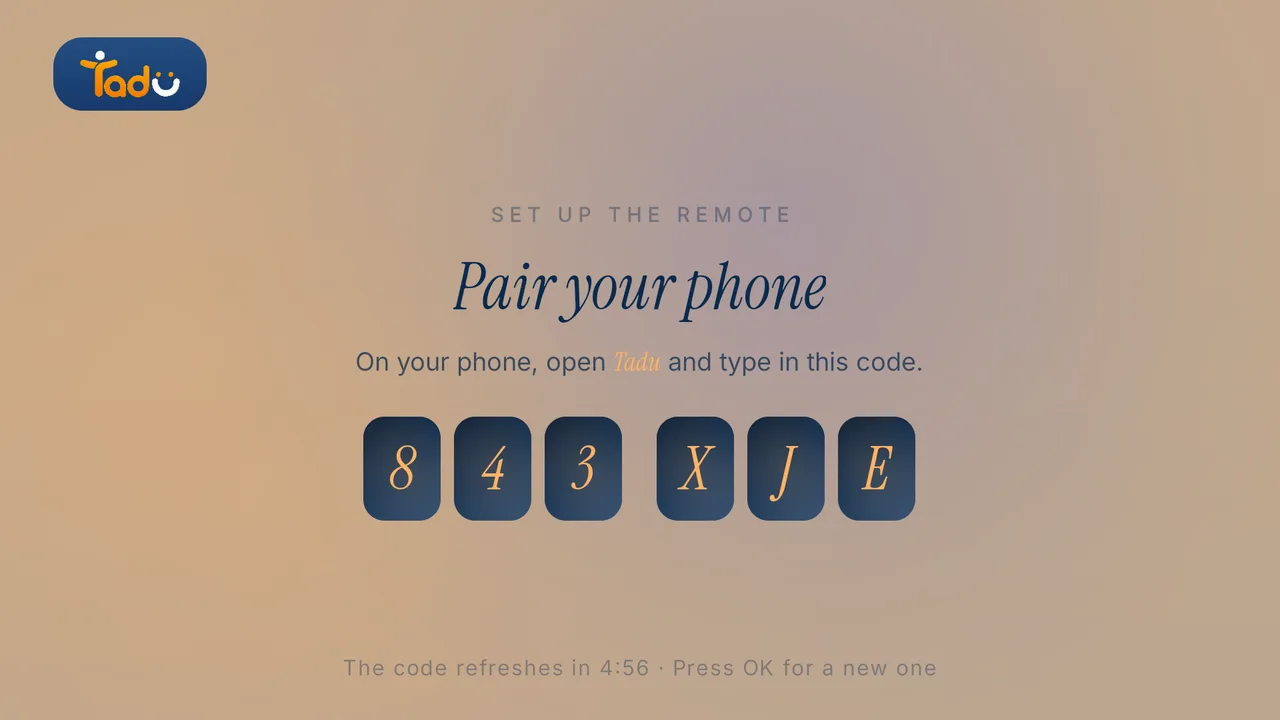
Install it on their Google TV, Android TV or Fire TV first, then pair it with your phone using the 6-character code it shows. It takes a few minutes, once.
Step by step: Fire TV guide · Google TV guide
Next
Set it up, then keep it working.
Setup
Set up Tadu Remote on a Fire TV
Install the free TV app, type the 6-character code into your phone, link the remote with Amazon’s 4-digit code and turn on screen sharing. Every screen your parent will see.
Read the guide →October 2026
Setup
Set up Tadu Remote on a Google TV or Android TV
Install the free TV app from Google Play, type the 6-character code into your phone, turn on Tadu Remote Control in Accessibility and allow messages over other apps.
Read the guide →October 2026

How-to
How to fix your parent’s Fire TV remotely, without being there
The five failures behind most “the TV is broken” calls (wrong input, signed-out apps, frozen apps, lost settings, update prompts) and how to fix each one from your phone.
Read the guide →October 2026
Short questions: Help Center · All guides: Guides