
Features
Everything you can do, from your phone.
Assist, a free home remote, messages, reminders, live photos and a Call for help button, in one app. Each asks your parent first where it should, none of it is recorded, and they only need the remote they already know.
Free for 14 days · Fire TV, Google TV & Android TV · iPhone, iPad & Android
Assist · the heart of Tadu
She’s stuck on a frozen app. It’s 11pm your time.
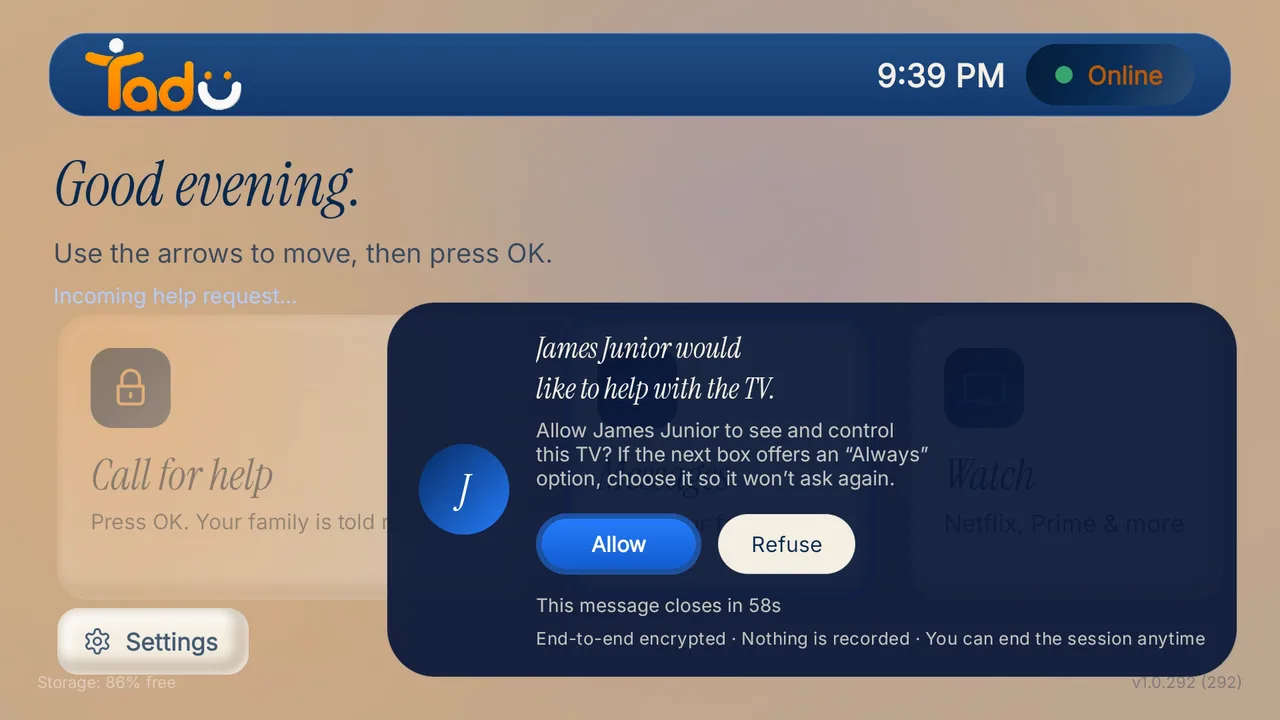
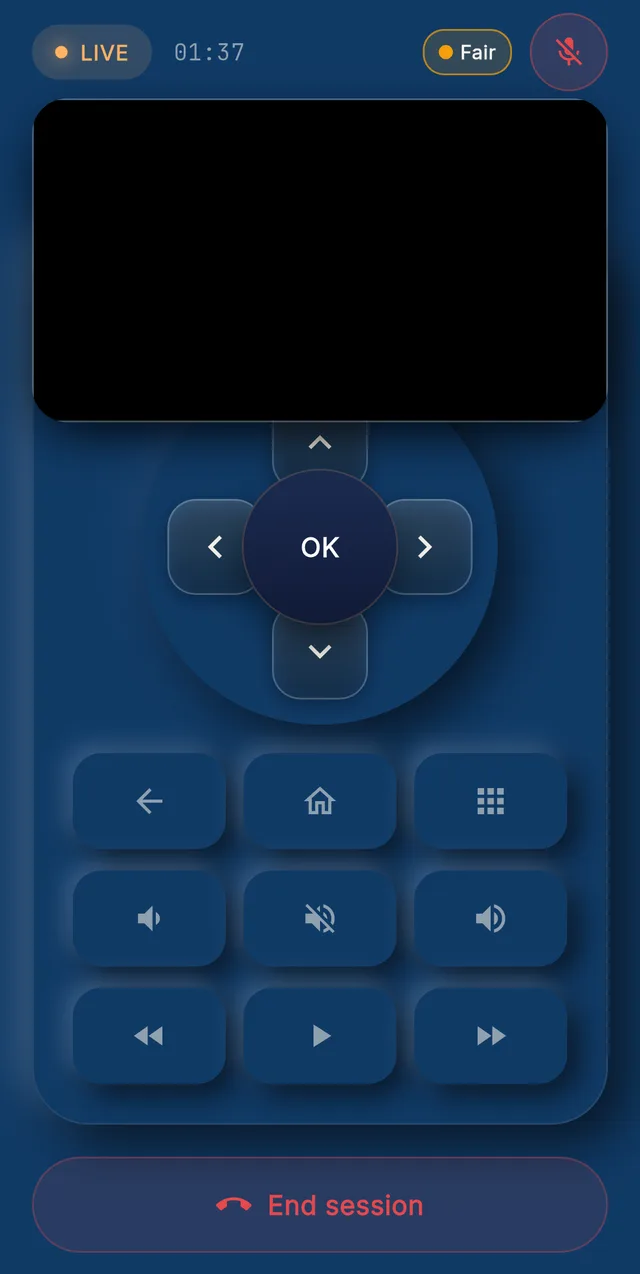
Tap her TV in your app. Her TV shows a card with your name and photo, Allow already selected, Refuse beside it, and a 60-second countdown. On a Google TV or Android TV, a second system box asks for “Start now”. Then her screen is on your phone, live, with a full remote: touchpad, D-pad, keyboard, volume and apps.
Good to know
- Apps with copy protection (most streaming services) show black in the live view; your controls still work.
- Sessions end after 2 hours, or after 4 minutes with no activity on your phone.
- One helper at a time per TV. Either side can end the session at any moment.
- Encrypted, confirmed before video starts; never recorded or stored.
Free home remote
On their Wi-Fi, your phone is the remote.
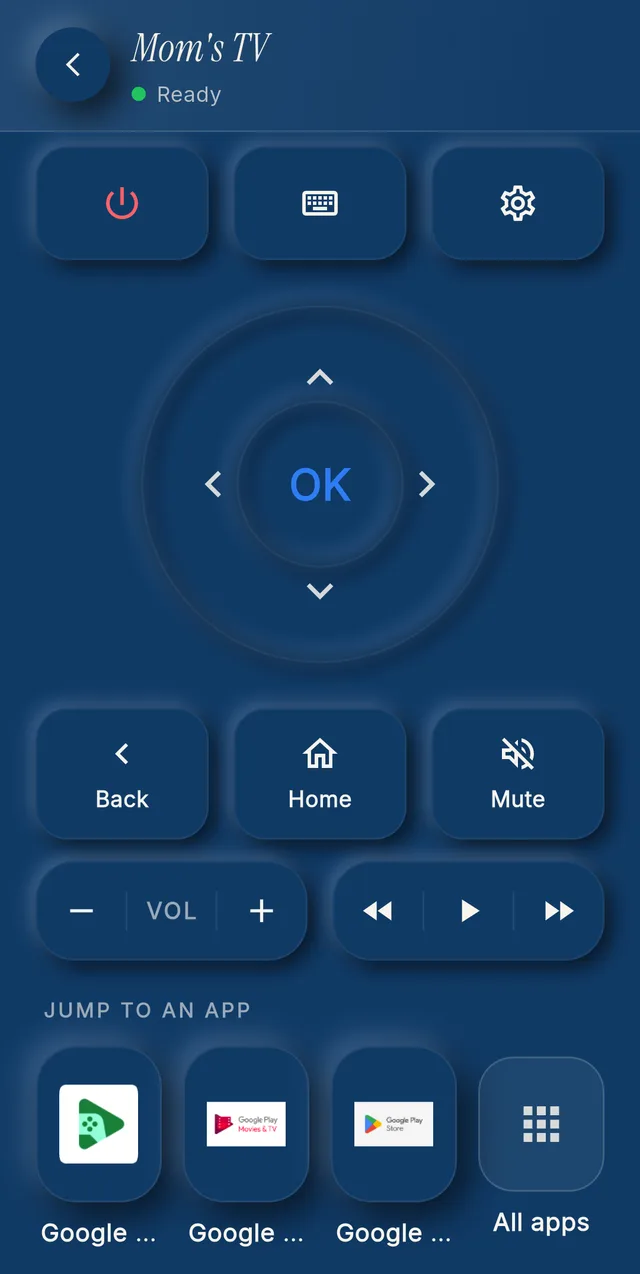
On the same Wi-Fi as the TV, your phone is a remote: D-pad, OK, Back, Home, volume where the TV supports it, apps and a keyboard. Visiting for the weekend, or the remote has slipped down the sofa: it is already in your pocket.
Good to know
- Free for you and every helper, with no plan, and it stays free after the trial.
- On Android TV and Google TV, after a one-time pairing, “Switch on” and “Switch off” really turn the TV on and off over home Wi-Fi.

Messages
When the phone goes unanswered.
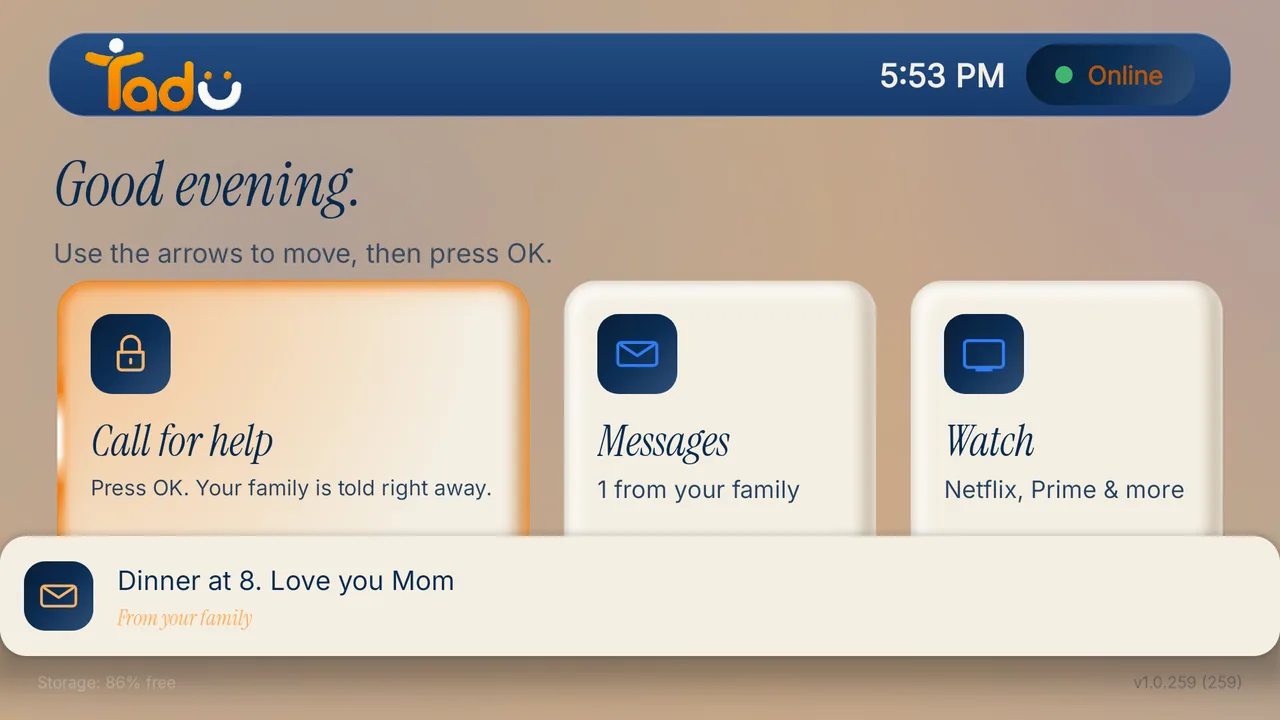
A short text note appears as a banner on the screen they are watching and waits in the TV’s Messages inbox. Your phone shows Sending, Delivered and Seen on TV. If the TV is off, the message waits and arrives when it is back.
Good to know
- Up to 80 characters, or 160 for an urgent one.
- Urgent messages wake the screen, chime, and stay until they press OK.
- Kept up to 7 days, then deleted. On Fire TV, messages arrive as Fire TV notifications.
Reminders
The 2 o’clock medicine, and you’re not there to say it.
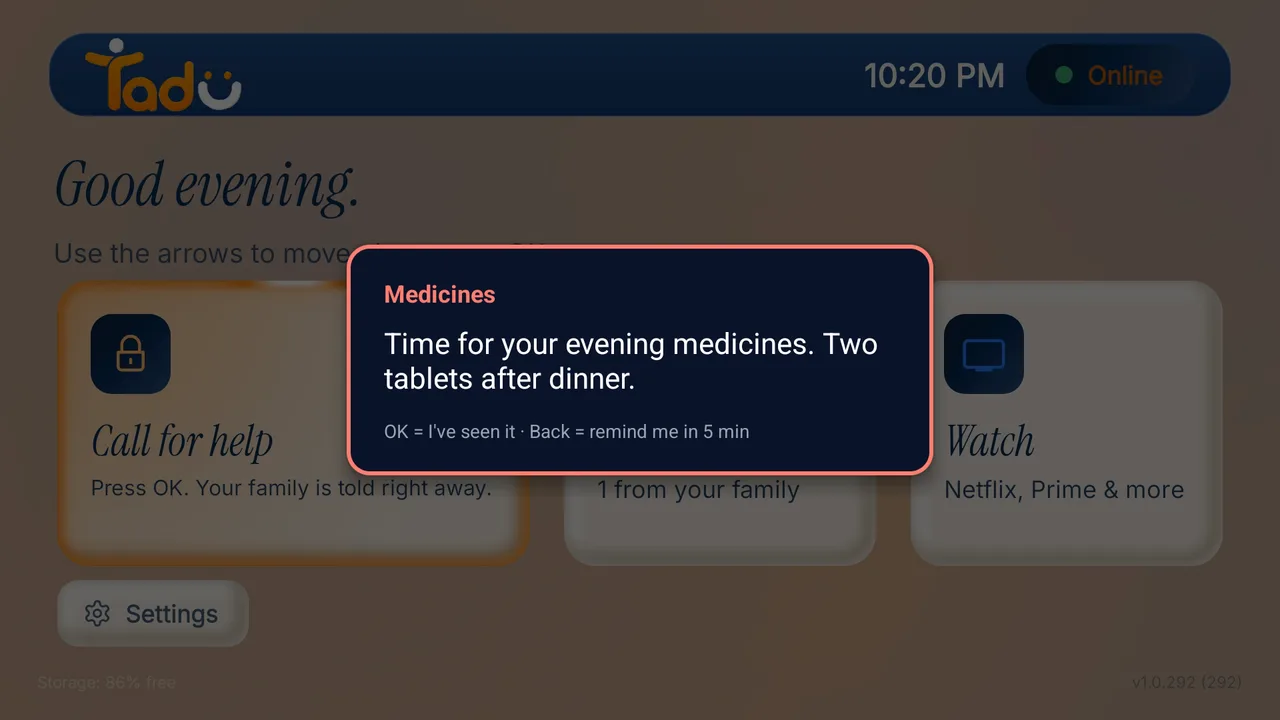
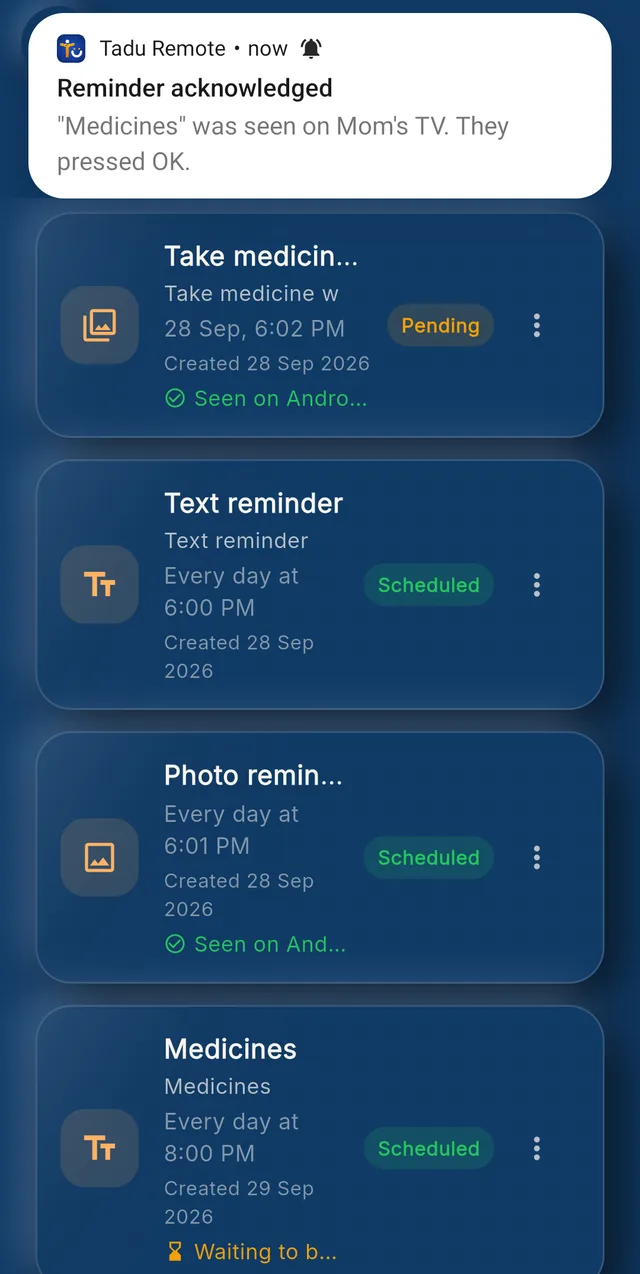
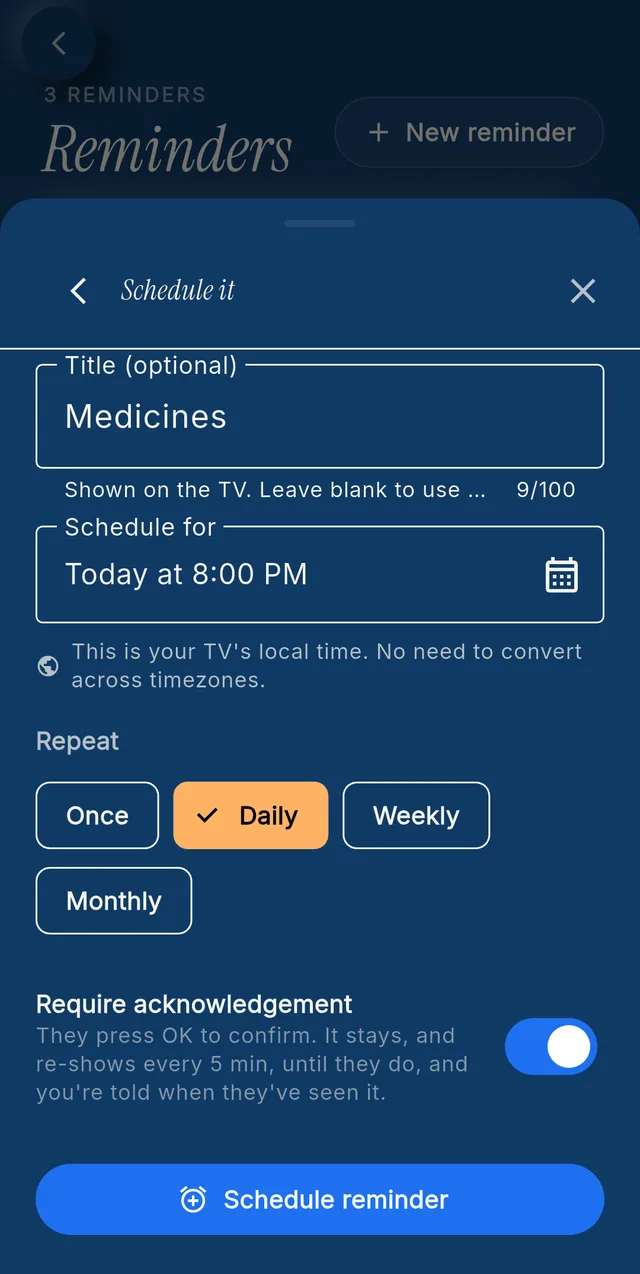
A note, a photo, or a photo with a note; once, daily, weekly or monthly; in the TV’s own time zone. You choose whether they must press OK; Back means “remind me in 5 minutes”, and you get “Reminder acknowledged” when they pressed OK.
- 01Write it, or pick a photo. In your Tadu app, open the TV, choose Set reminder, and type a note, attach a photo, or both.
- 02Set the time and the repeat. Pick when it should appear on their TV, in the TV's own time zone: once, daily, weekly or monthly. Choose whether they must press OK to confirm.
- 03It appears on their TV. At the set time the reminder appears over whatever they are watching. OK means "I have seen it"; Back means "remind me in 5 minutes". It never wakes a TV that is off.
- 04You are told. Your phone shows "Reminder acknowledged" when they pressed OK, or "Reminder missed" if the TV was off. Your parent can pause or remove a reminder on the TV, and you are told.
The photo is the one thing we store: encrypted, and deleted with the reminder or your account. The account owner sets reminders. Reminders support a routine; they are not a medical device.
Live Cast & Photos
Show them, live, on the biggest screen in the house.
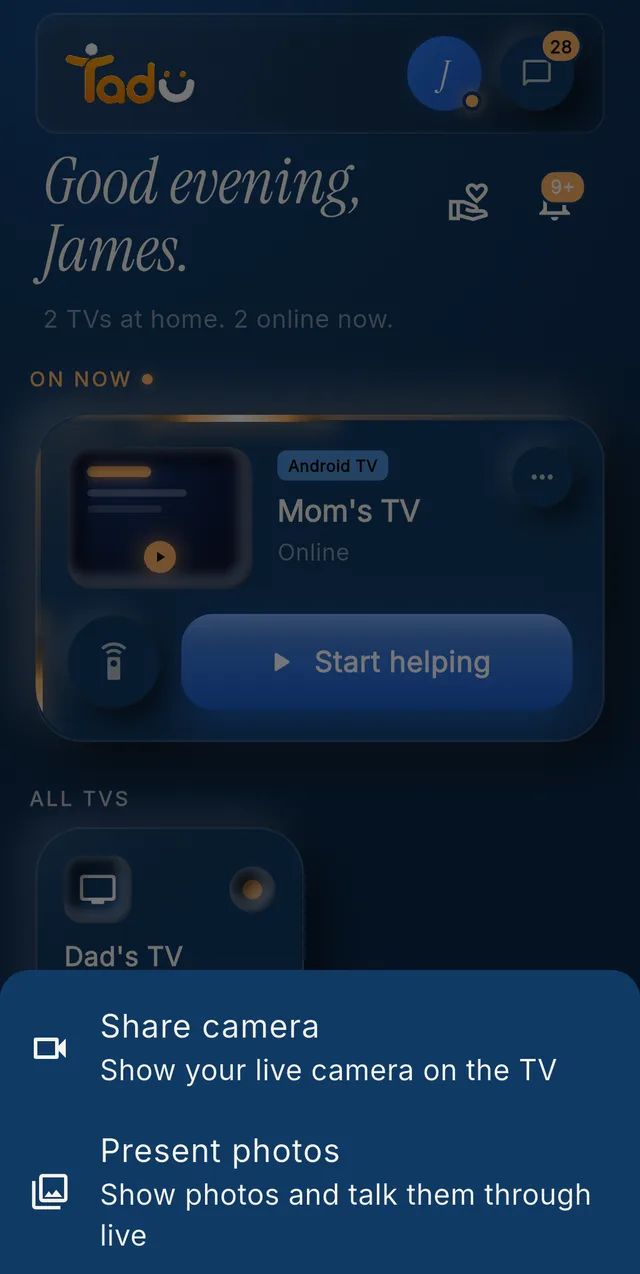
Live Cast shows your camera and your voice live on their TV. They press OK first; the TV shows “Live from” you.
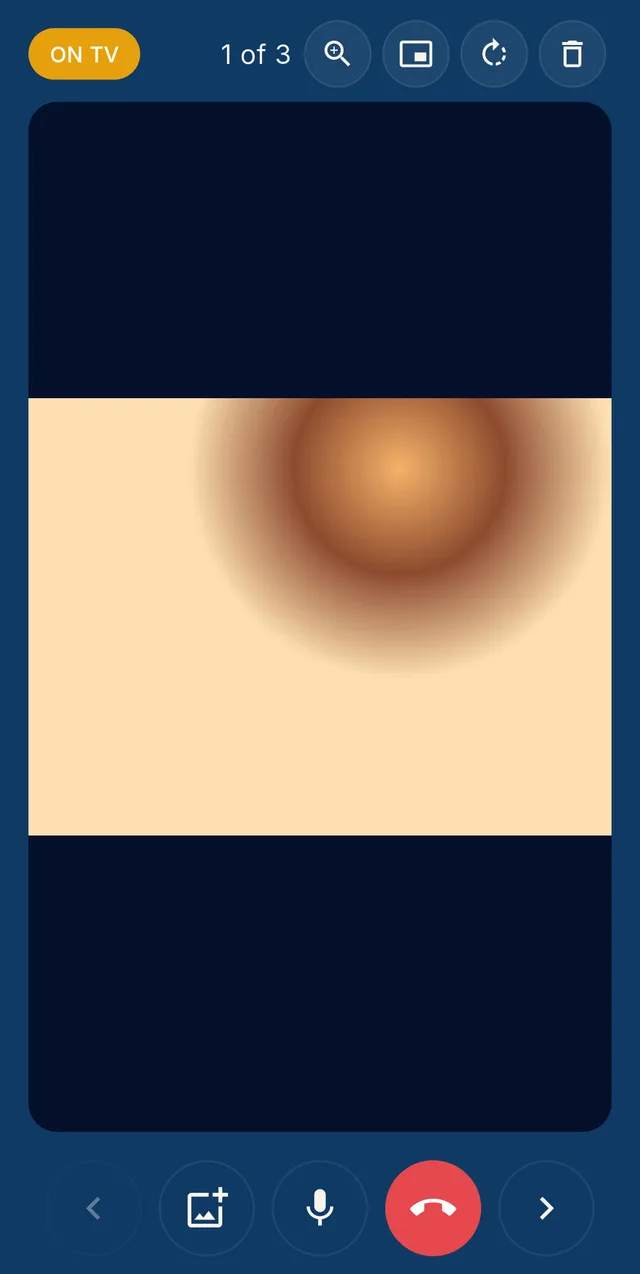
Photos are presented one at a time while you talk, with zoom to point at a face. Live only, never stored.
Good to know
- Tadu Plus includes 90 minutes a month, Tadu Family 180; on their home Wi-Fi casting is free and not counted; top-ups are available in the app.
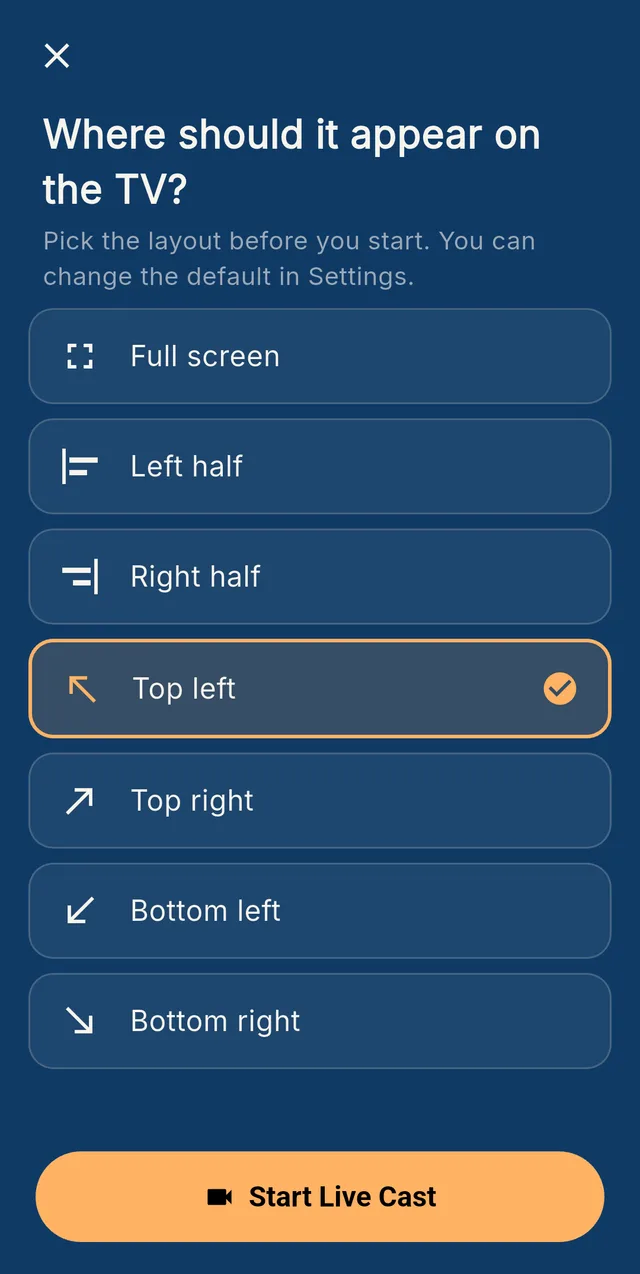
- On Google TV it can sit full screen, in a corner or on one half so their programme continues; on Fire TV it is always full screen.
- Not available in the UAE.

Call for help
One press on their TV rings the whole circle.
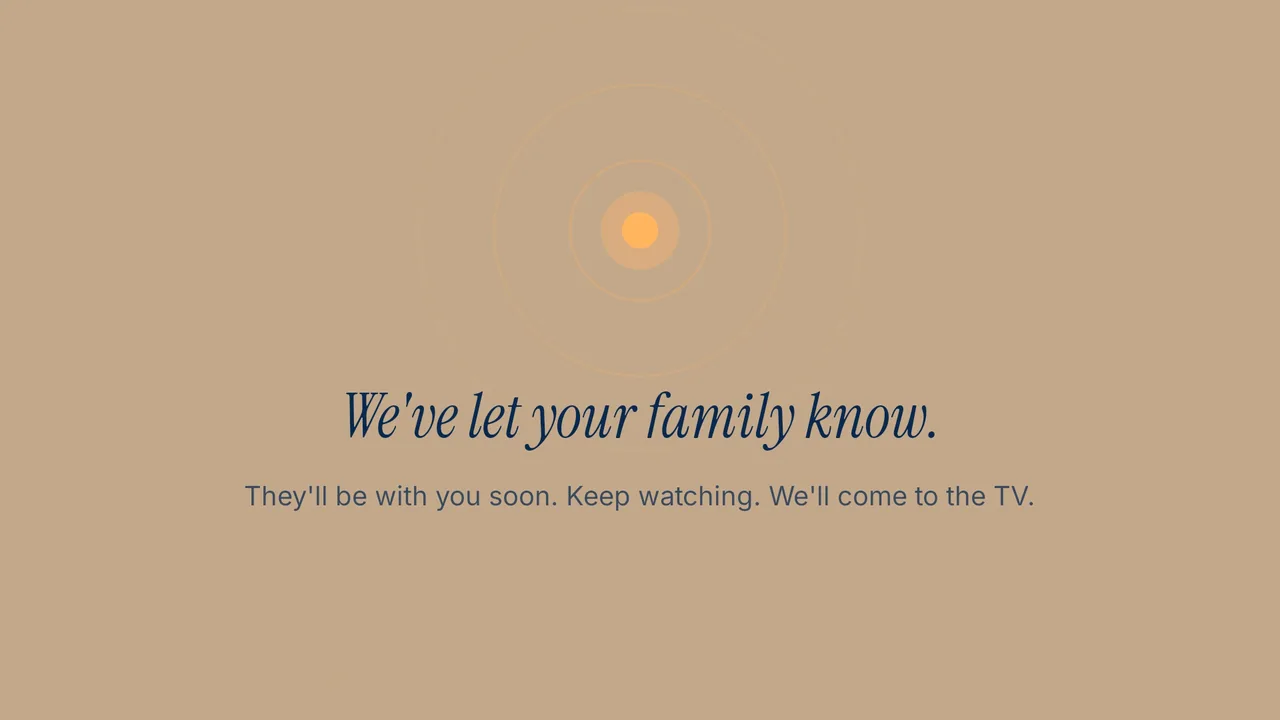
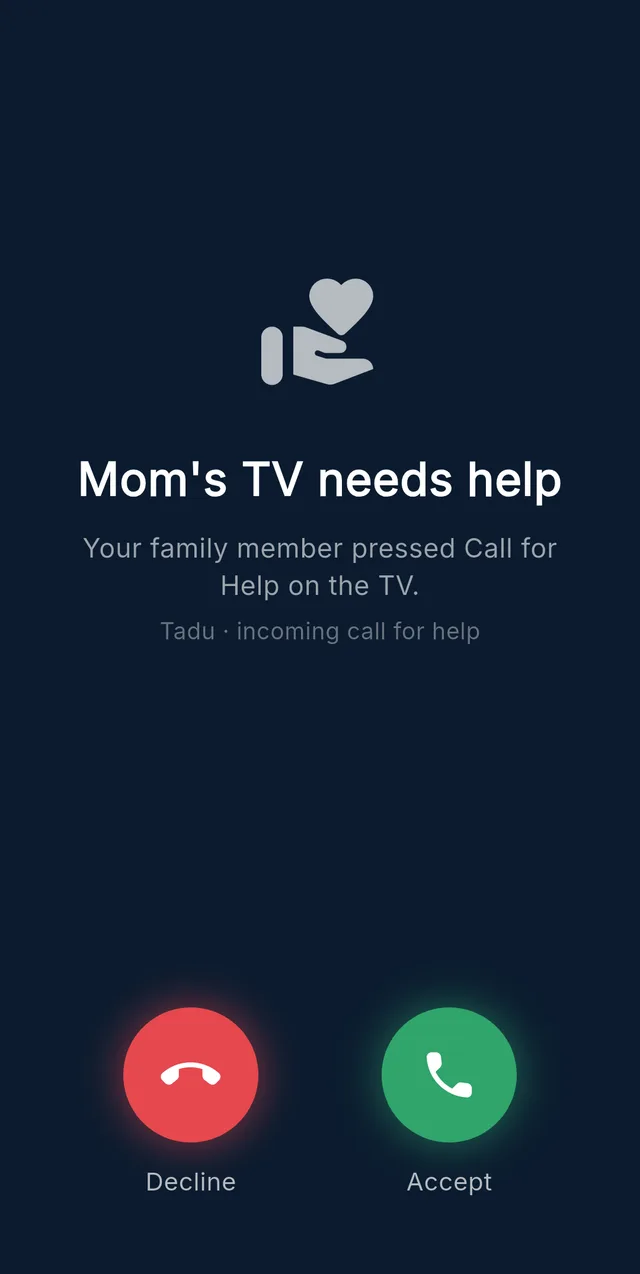
One press of Call for help on the TV (or holding OK for two seconds) rings every helper and the owner like a phone call, even when the phone is locked. iPhones show a call screen; Android phones a full-screen Accept or Decline.
Call for help reaches your family, not an emergency service.
Good to know
- The first to accept takes it and the others are told.
- Accepting opens “Start helping”, and your parent still presses Allow.
- If nobody answers, two quiet reminders follow, and the request closes after 10 minutes.
- It works on every plan and after the trial.
Family
Choose what each helper can do.
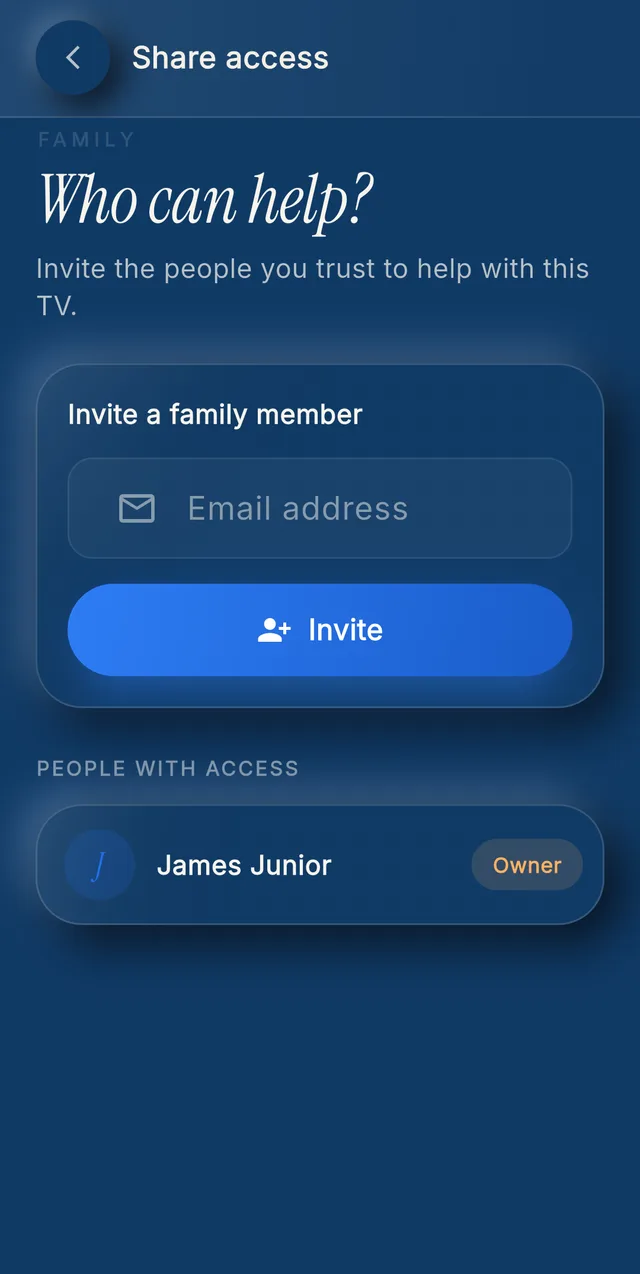
For each helper and each TV, you choose which of Assist, Live Cast, Messages and Reminders they may use. A sibling abroad, a neighbour nearby, a grandchild who is good with menus: everyone helps from one plan.
Removing a helper takes effect within about a second, even in the middle of a session, and the TV shows who can connect.
Good to know
- Tadu Plus: you plus 2 helpers on 1 TV. Tadu Family: you plus 5 helpers per TV, up to 3 TVs.
- Helpers use your plan and never need their own.
- Invite by email; the link is valid for 7 days.

Set up their TV
A free app on the TV they already own.
Install Tadu on their Google TV, Android TV or Fire TV, then pair it with your phone using the 6-character code it shows. It takes a few minutes, once.
Google TV · Android TV
Get it from Google Play
Open the listing, choose Install and pick their TV, or search “Tadu Remote” in Google Play on the TV itself.
Fire TV
Get it from the Amazon Appstore
On the Fire TV, search the Amazon Appstore for “Tadu Remote” and install it. The TV app is free.
For the parent
A printable TV help card
One page to keep by the TV that explains Tadu to your parent, in 11 languages.
Works on
- Android TV
- Google TV
- Fire TV
- iPhone
- iPad
- Android phones
The TV app is free. Not available on Apple TV, Roku, Samsung or LG TVs today.
Why other ways fall short
Built for the living room, not the office.
Remote apps that need the same Wi-Fi stop working once you leave the house, and a video call only shows the screen through their phone camera.
- Works from another country
- Same-Wi-Fi remote apps: Not included
- A video call: Included
- Tadu Remote: Any internet connection
- You see their actual screen
- Same-Wi-Fi remote apps: Not included
- A video call: Only through their phone camera
- Tadu Remote: Live, on your phone
- You can press the buttons
- Same-Wi-Fi remote apps: Only on the same Wi-Fi
- A video call: Not included
- Tadu Remote: After their Allow on the TV
- Messages and reminders on the TV
- Same-Wi-Fi remote apps: Not included
- A video call: Not included
- Tadu Remote: Included
- A Call for help button on the TV
- Same-Wi-Fi remote apps: Not included
- A video call: Not included
- Tadu Remote: Included
| Feature | Same-Wi-Fi remote apps | A video call | Tadu Remote |
|---|---|---|---|
| Works from another country | Not included | Included | Any internet connection |
| You see their actual screen | Not included | Only through their phone camera | Live, on your phone |
| You can press the buttons | Only on the same Wi-Fi | Not included | After their Allow on the TV |
| Messages and reminders on the TV | Not included | Not included | Included |
| A Call for help button on the TV | Not included | Not included | Included |
Thinking of a general remote-desktop tool instead? Why standing remote access is the wrong model.
Questions
About the features.
What is Assist?
Assist is Tadu Remote's core feature: it shows you a parent's Fire TV, Google TV or Android TV screen live on your phone and lets you press the buttons for them, over any internet connection. Every session starts with their Allow on the TV, is encrypted, and is never recorded or stored.
Do both of us need to be on the same Wi-Fi?
No. Assist works across any two internet connections: your phone on a train and their home Wi-Fi in another country behave the same. When you are on their home Wi-Fi, your phone is also a free remote for the TV, with no plan needed.
What does my parent have to learn?
One thing: pressing OK on their own remote when your name appears on their TV, because Allow is already selected. There is no app for them to open and no code for them to read out after the one-time pairing. Everything else happens on your phone.
What kinds of reminders can I put on their TV?
A written note, a photo, or a photo with a note, shown on their TV at the time you set, once, daily, weekly or monthly. Medication times and appointments are what families use it for most. OK means they have seen it, Back means remind me in 5 minutes, and you are told when they pressed OK. The photo is stored encrypted and deleted when you delete the reminder or your account.
Setting up the TV: Fire TV guide · Google TV guide. How we protect your family: Private by design. Plans: Pricing.

Try Tadu free for 14 days.
The next time the TV “breaks”, you will see it and fix it.
Free for 14 days · Fire TV, Google TV and Android TV