

Guides
Guides for helping a parent’s TV from far away.
The long-distance family TV care guide, written for the person the family calls when the TV “breaks”: practical answers first, product mentions only where they genuinely solve the problem.
 Set up once · about ten minutes
Start here
Set up in four steps.
The TV app is free. Pairing happens once; every screen-sharing session after that still asks your parent first.
- 01 / Step
Install the free Tadu app on the TV
From the Amazon Appstore on a Fire TV, or Google Play on a Google TV or Android TV.
- 02 / Step
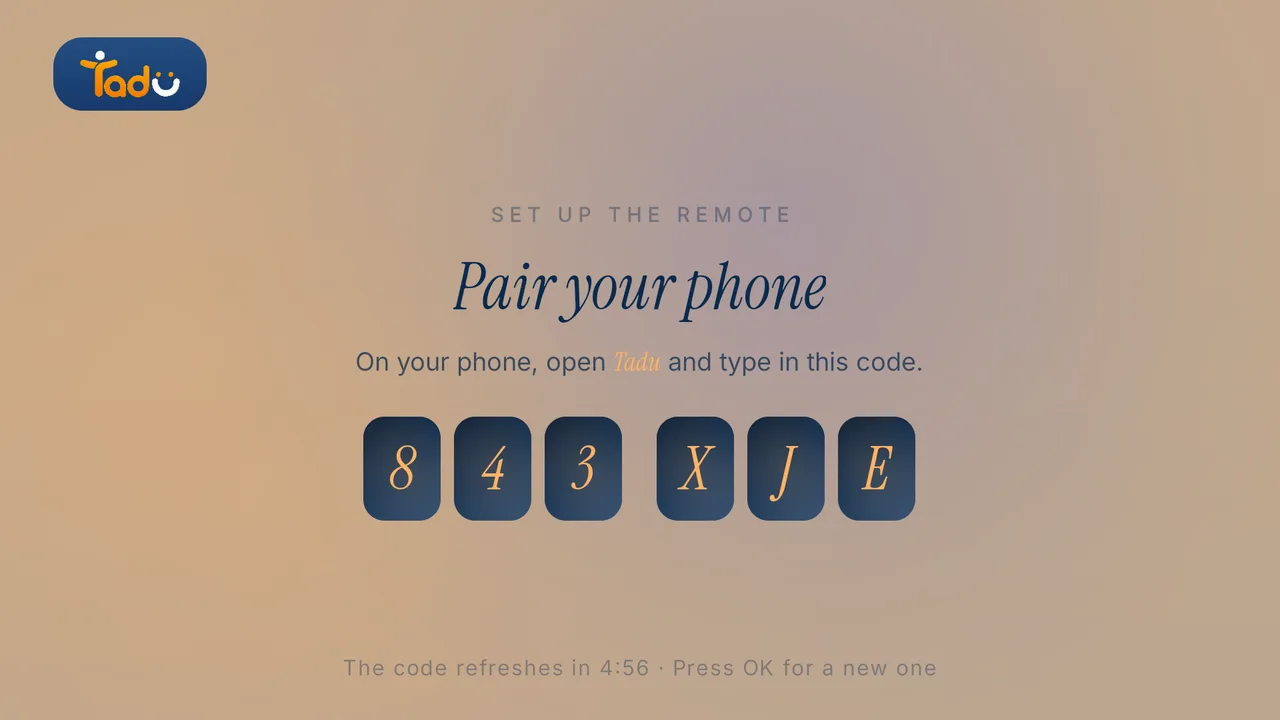
The TV shows a 6-character code
Letters and digits in two groups of three. It refreshes every 5 minutes; press OK on the TV for a new one.
- 03 / Step
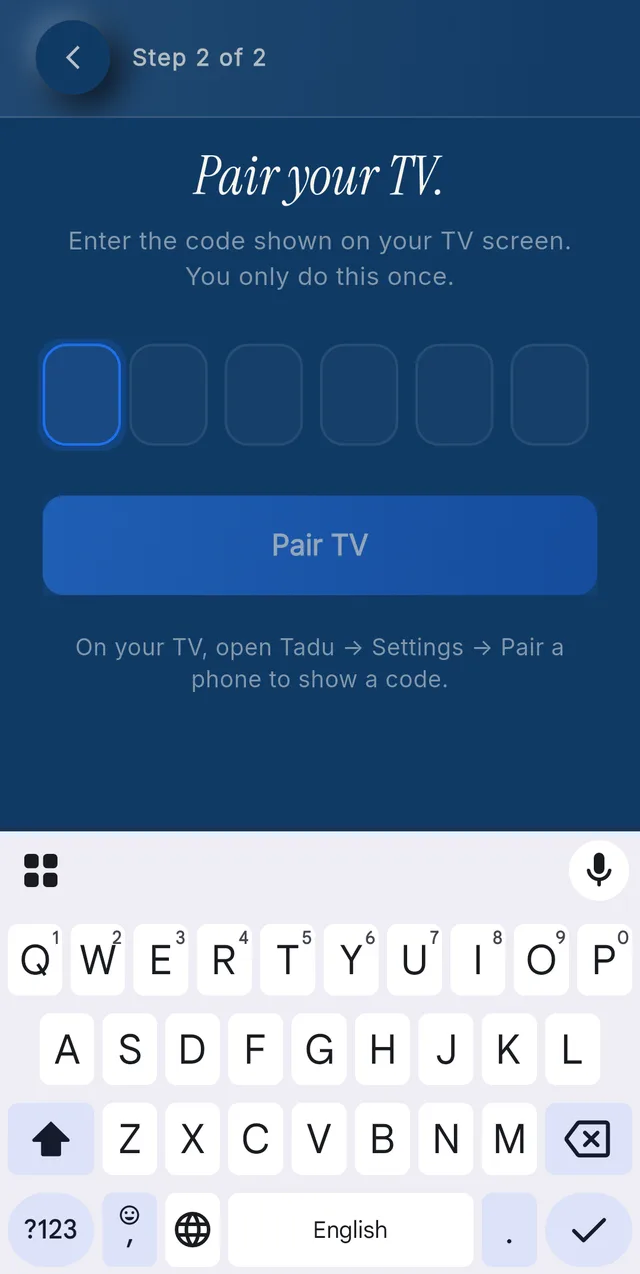
Type it in the phone app
In Tadu Remote on your phone, tap Pair a new TV and type the code. Capitals don’t matter.
- 04 / Step
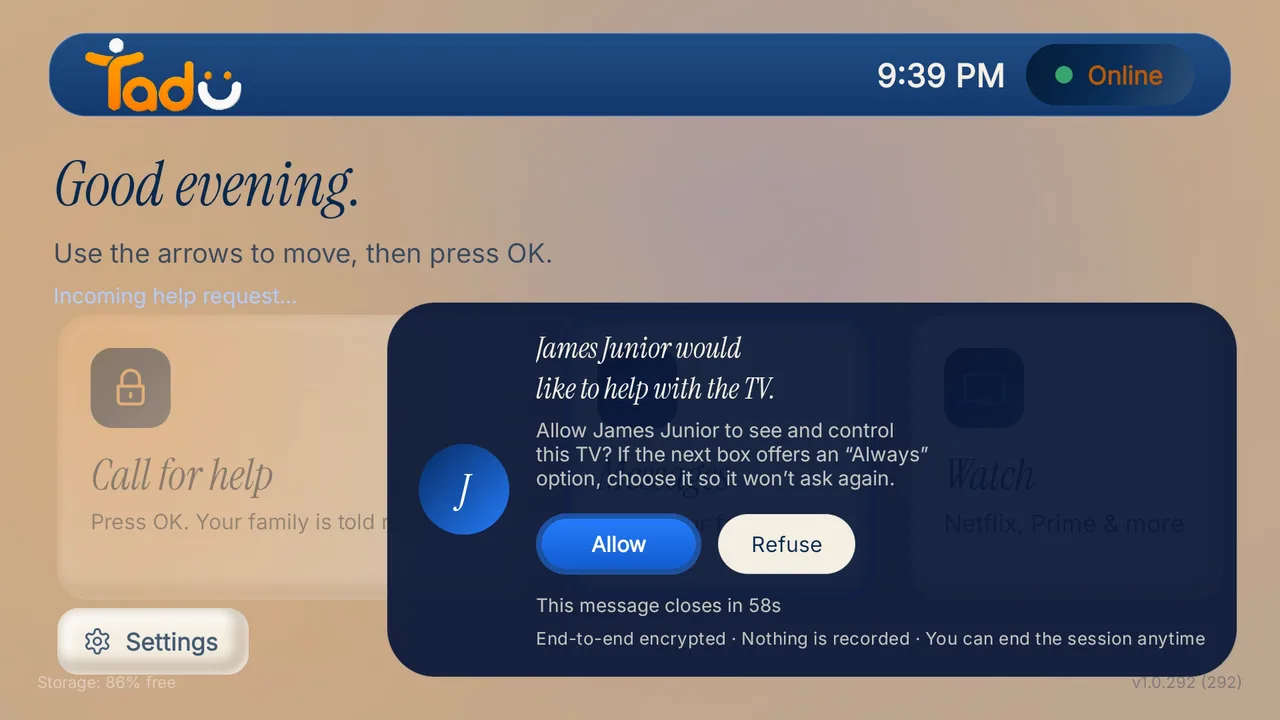
Your parent presses Allow
The first time you connect, and every time after, their TV shows your name and photo with Allow already selected.
Set up
Set up their TV, once.
Two step-by-step guides with every screen your parent will see. About ten minutes, with someone at the TV.
Setup
Set up Tadu Remote on a Fire TV
Install the free TV app, type the 6-character code into your phone, link the remote with Amazon’s 4-digit code and turn on screen sharing. Every screen your parent will see.
Read the guide →October 2026
Setup
Set up Tadu Remote on a Google TV or Android TV
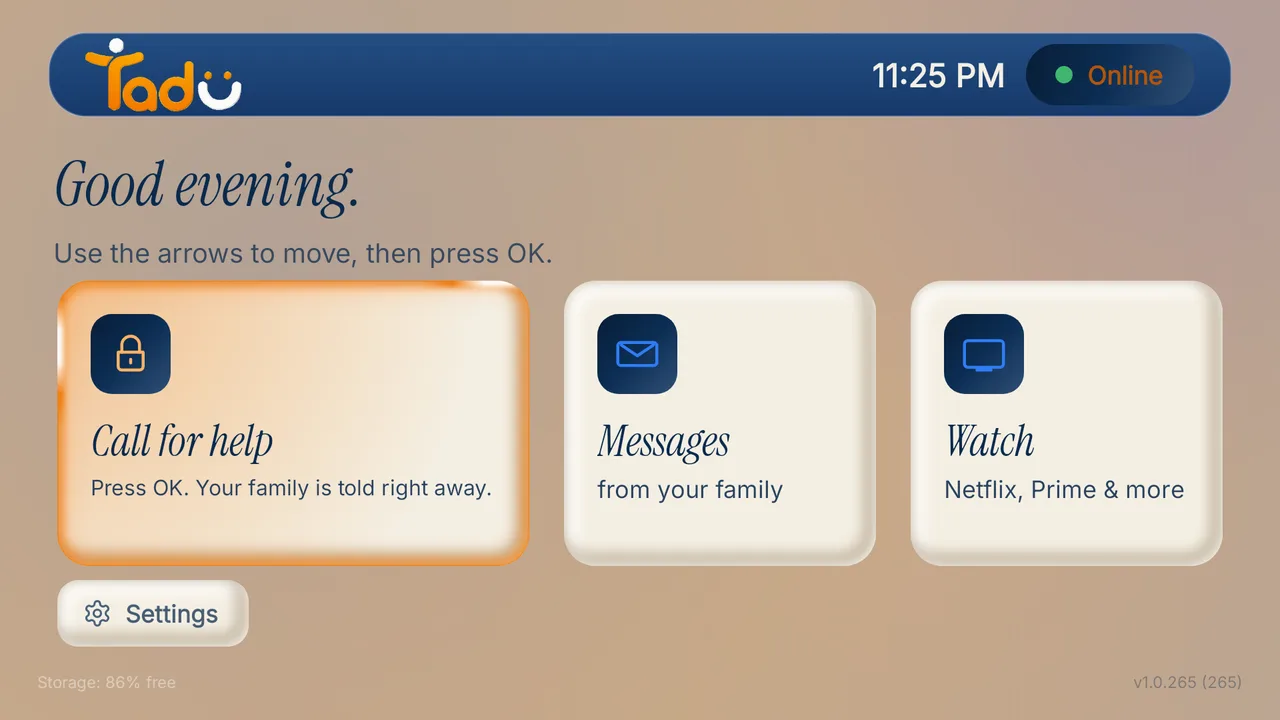
Install the free TV app from Google Play, type the 6-character code into your phone, turn on Tadu Remote Control in Accessibility and allow messages over other apps.
Read the guide →October 2026
Everyday help
The calls you get most.
A frozen app, an unanswered phone, the evening medicine: the small things that stall an evening, and how to handle them from your phone.

How-to
How to fix your parent’s Fire TV remotely, without being there
The five failures behind most “the TV is broken” calls (wrong input, signed-out apps, frozen apps, lost settings, update prompts) and how to fix each one from your phone.
Read the guide →October 2026

How-to
How to send messages and photos to a parent’s TV, from anywhere
When the phone goes unanswered, the TV is where they are. Short messages on the TV, photos presented live on the biggest screen in the house, and reminders at the hour that matters.
Read the guide →October 2026

How-to
Medication reminders, on the screen they actually watch
Phone alarms get silenced; pillboxes stay in drawers. How family-set reminders on a parent’s TV work (text or photo, OK to confirm, Back to see it again) and their honest limits.
Read the guide →October 2026
Across borders
Another city. Another country.
Why same-Wi-Fi remote apps stop at the front door, and what works when an ocean sits between you and the TV.

How-to
How to control your parents’ TV from another country
Why almost every remote app fails the moment you leave their Wi-Fi, what the workarounds involve, and how cross-network, consent-first TV help works.
Read the guide →October 2026

How-to
An NRI’s guide to helping your parents in India with their TV
For families abroad with parents in India: why the usual apps fail across borders, what to set up on your next visit or one guided call, and how consent-first help works from abroad.
Read the guide →October 2026
Care, not surveillance
Help that starts with their yes.
What Remote Family TV Care is, and how to help a far-away parent without a camera in their living room.
Explainer
What is Remote Family TV Care?
The category, defined: consent-first, cross-network help with the TV a parent already owns, and how it differs from remote desktop, hardware hubs and monitoring products.
Read the guide →October 2026

Explainer
Long-distance caregiving, without cameras in their home
Most families need reachability, not observation. What consent-first, camera-free care looks like in practice, and when a monitoring product is the right, separate choice.
Read the guide →October 2026
What your parent will see
See the exact screens your parent will look at.
Real captures of the TV app. The consent card is shown with a demo account.
Pairing code Consent card Connected badge 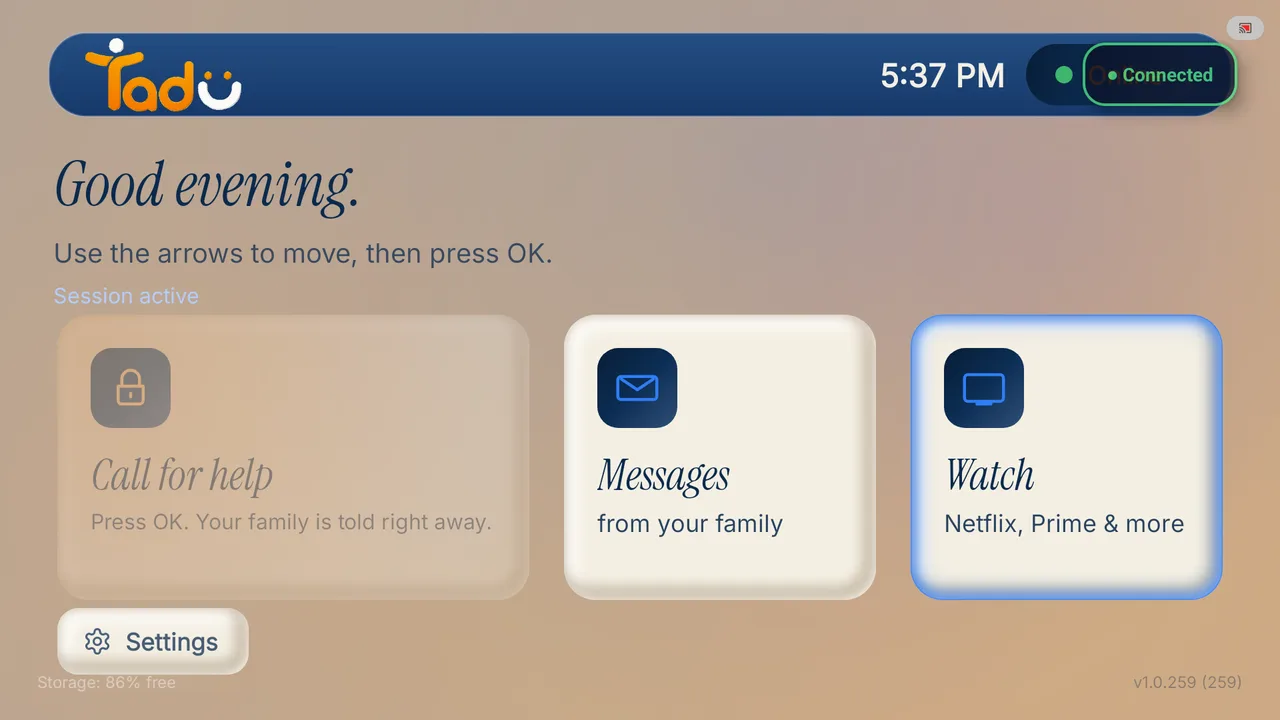
Reminder card 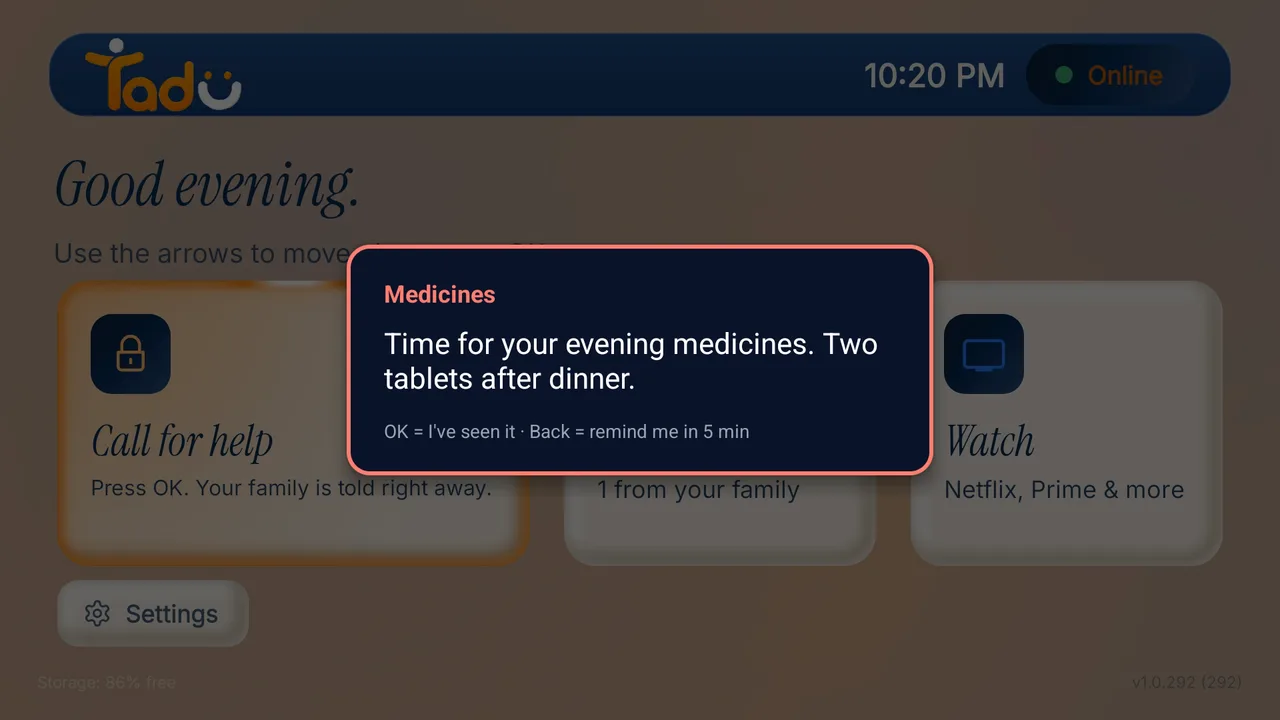
Call for help acknowledged 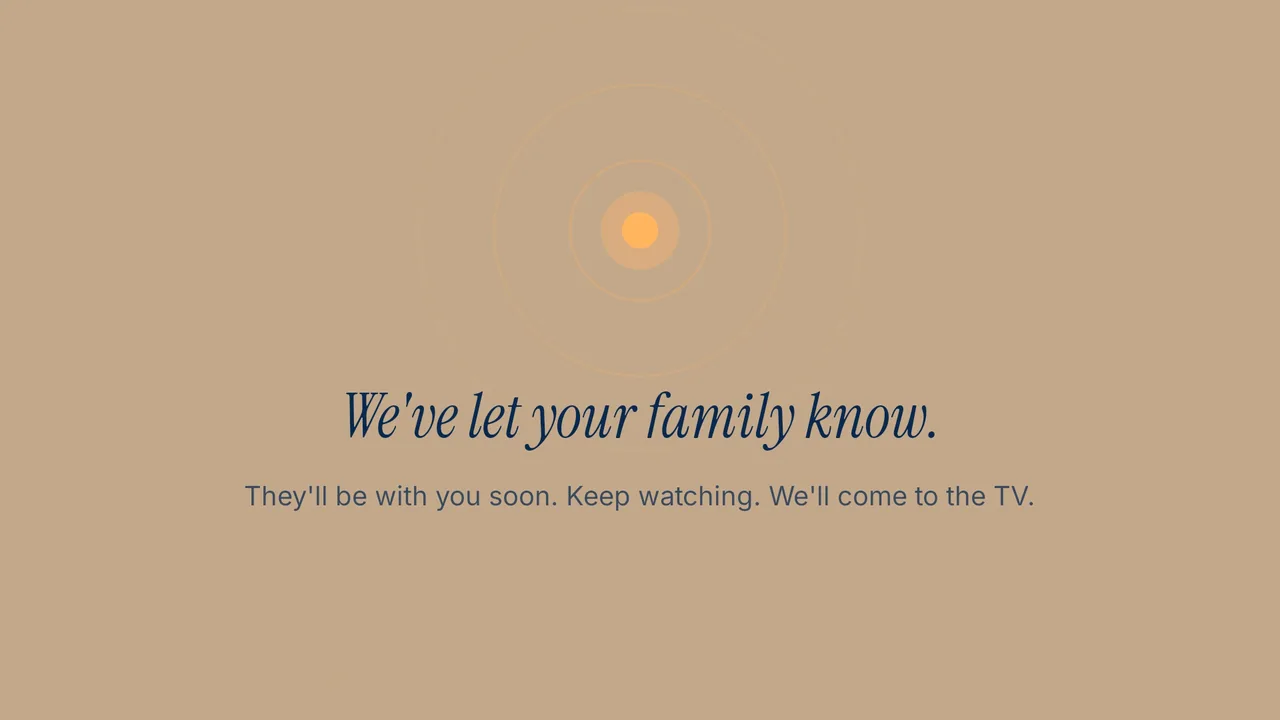
For the person at the TV
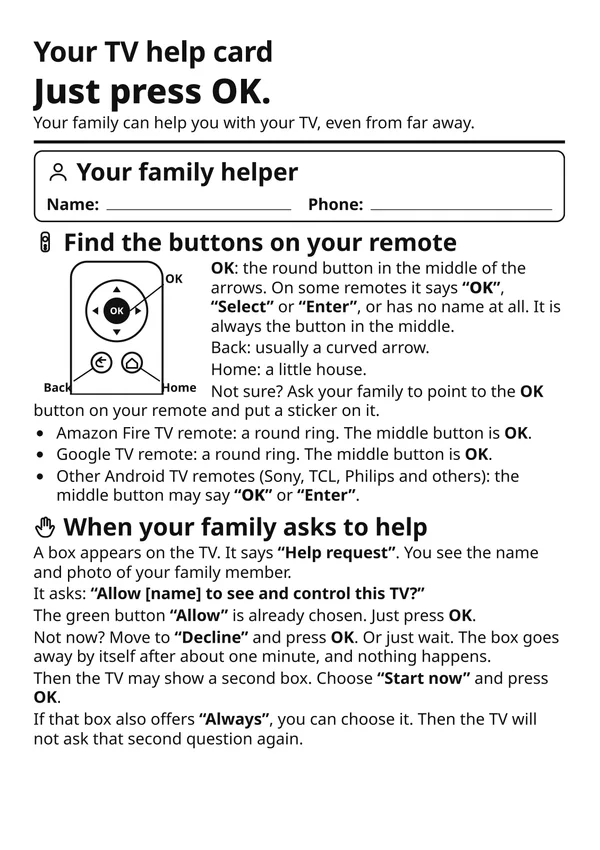
A printable card to keep by the remote.
One page, large type, in 11 languages: what the Tadu screens mean and which button to press. Print it, or save it to their phone.
- Which button is OK, Back and Home on their remote
- What to press when the family asks to help
- How to call the family from the TV

Can’t find it?
The short questions have short answers.
Pairing codes, black screens, missed reminders, helpers and billing: the Help Center answers each in a few lines. Still stuck? Write to us at support@taduremote.com.
Visit the Help Center →