By Dsign Digital Technologies, makers of Tadu RemoteUpdated October 2026
About ten minutes, once. You need the TV remote, your phone, and someone in the room with the TV: you, or a person who can read a code to you.
Before you start
Tadu Remote is free on Google Play for Google TV and Android TV. On your phone, install Tadu Remote from the App Store or Google Play and create your account; the trial starts inside the app after you pair the TV, not before. Then follow the ten steps below; the words in quotes are what the TV will say.
The ten steps
01 / StepStart here
Install the TV app
On the TV, open Google Play, search for “Tadu Remote”, install it and open it. The TV app is free.
Or open the listing on the web, choose Install and pick their TV.
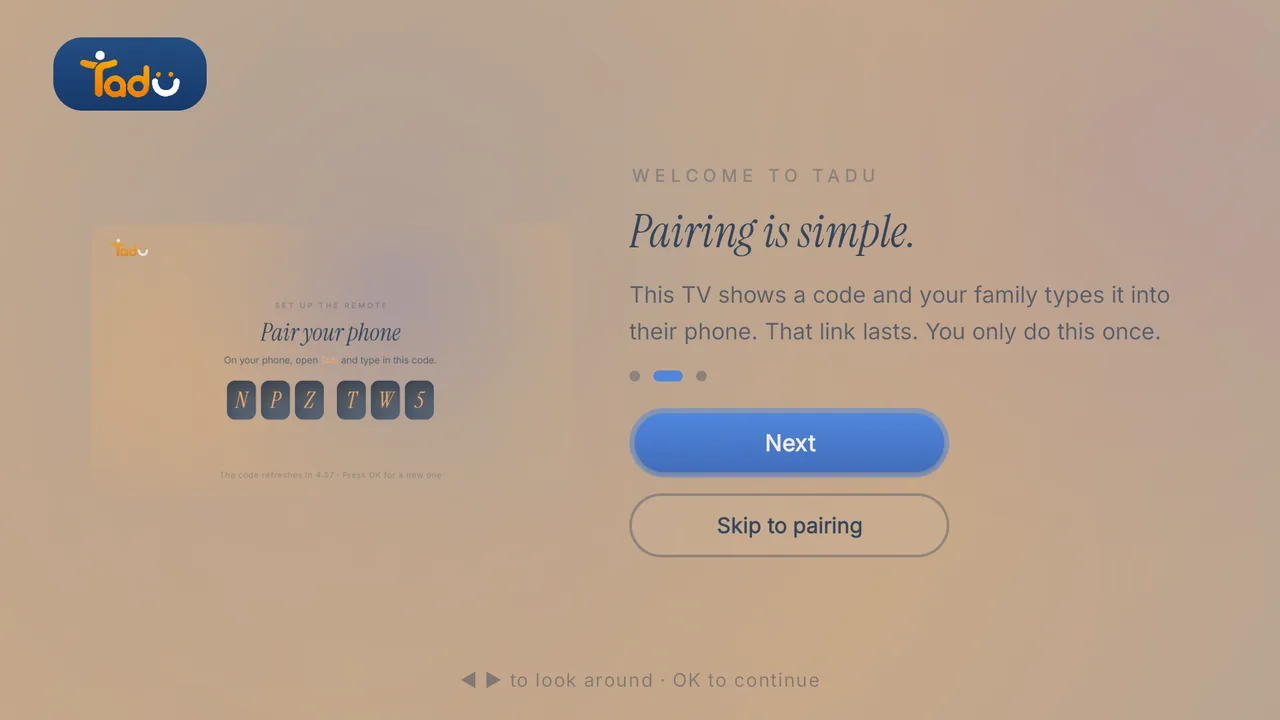
Three short screens: “Your family, one button away.”, “Pairing is simple.” (“This TV shows a code and your family types it into their phone. That link lasts. You only do this once.”) and “Private, always.” Press “Skip to pairing” or “Show the pairing code”.
03 / Step
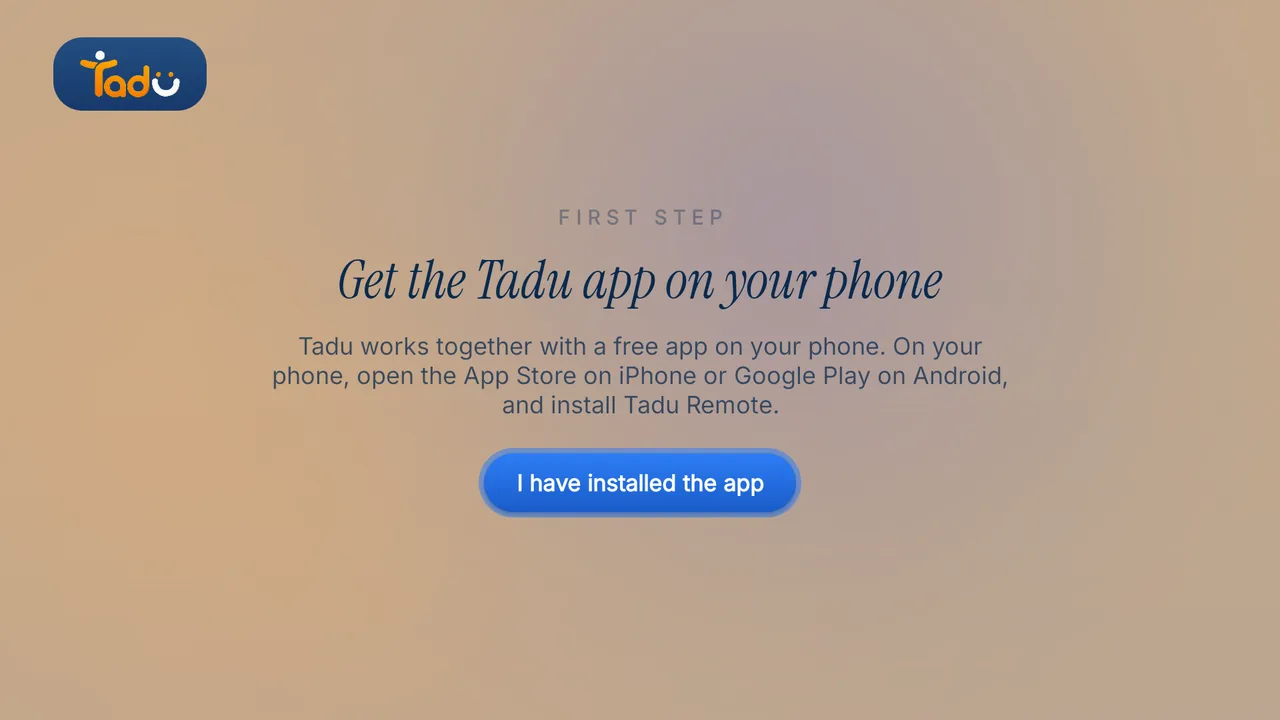
"Get the Tadu app on your phone."
The TV waits until you press “I have installed the app”. A QR code on the screen points to taduremote.com/app. On your phone, install Tadu Remote from the App Store or Google Play and create your account.
04 / Step
Type the 6-character code into your phone
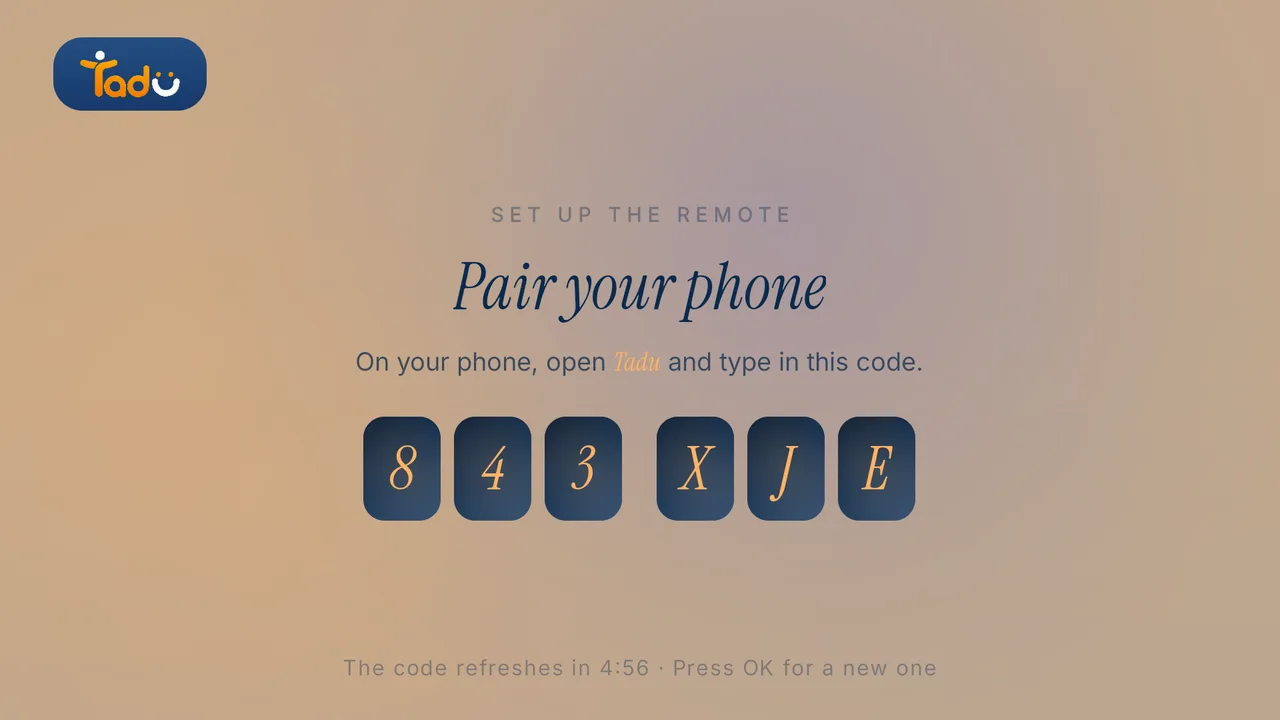
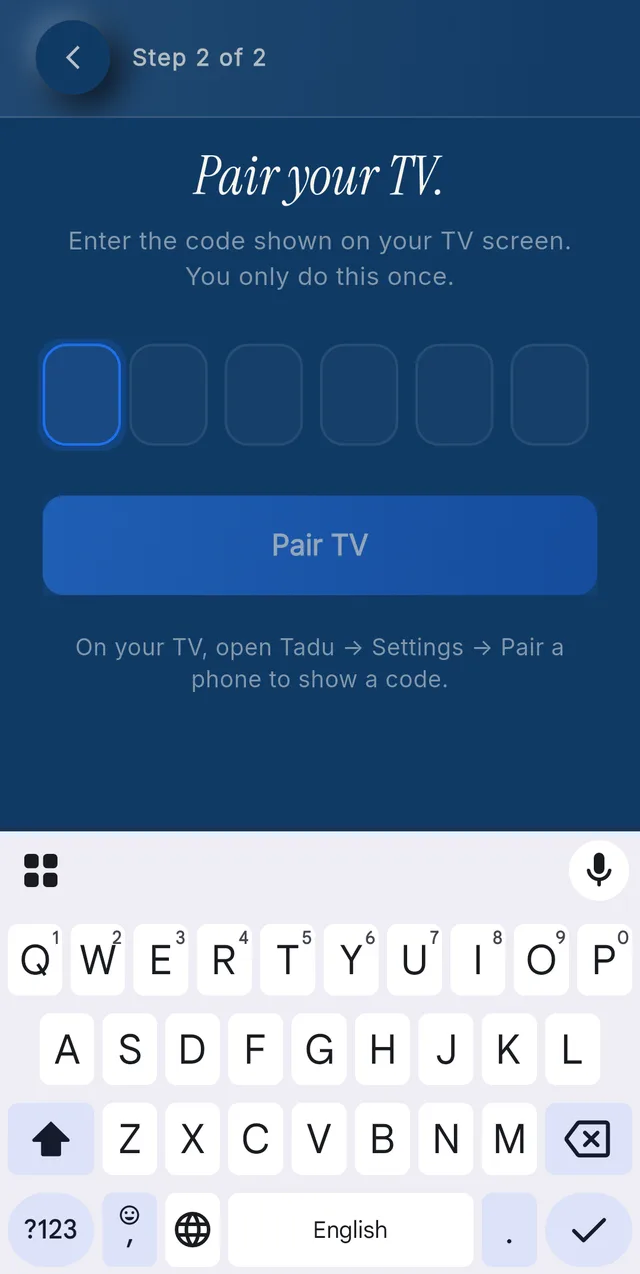
The TV shows “Pair your phone” with a 6-character code in two groups of three: letters and digits, capitals don’t matter. It refreshes every 5 minutes (“Press OK for a new one”). On your phone: Pair a new TV, type the code, Pair TV. The TV continues within a couple of seconds.
If you are not in the room, someone at the TV reads the code to you.
05 / Step
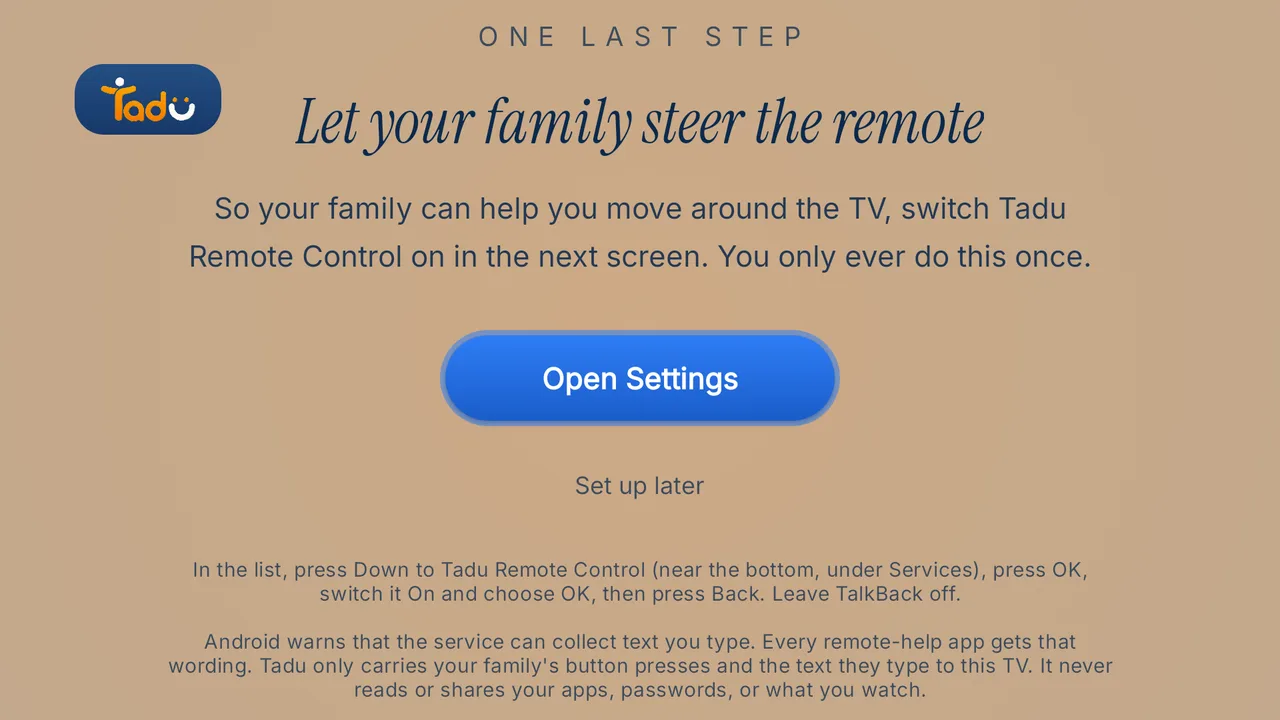
"Let your family steer the remote" (Accessibility)
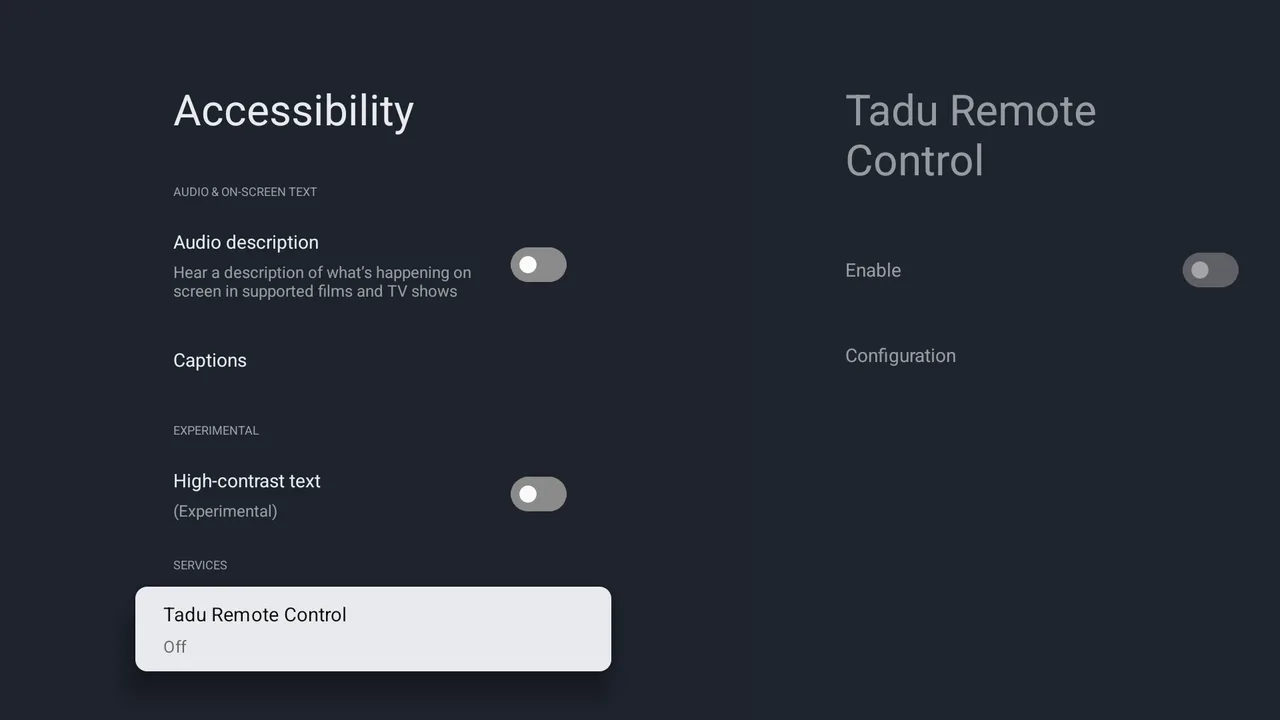
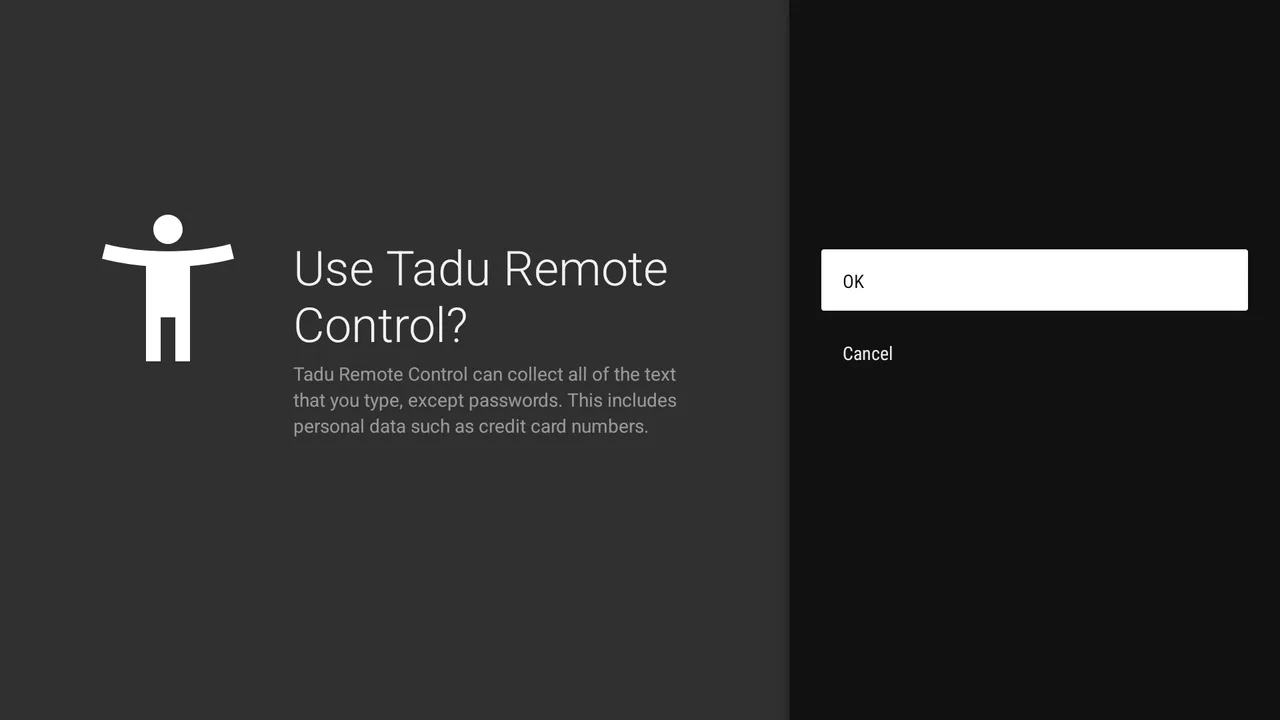
Press “Open Settings”. The TV’s own Accessibility list opens. Follow the on-screen guide: press Down to the very last row, Tadu Remote Control, press OK, switch it On, press OK, then press Back. The Tadu screen continues by itself once it is on.
Android shows a warning that the service “can collect all of the text that you type”. In Tadu’s words: “Every remote-help app gets that warning. Tadu only carries your family’s button presses and the text they type to this TV. It never reads or shares your apps, passwords, or what you watch.” Press OK.
If you press “Set up later”, a box warns: “Without it, your family can’t move around your TV for you. Messages, reminders and calls for help still work.” You can turn it on any time from Tadu Settings on the TV.
06 / Step
The short tour
“How your TV works now”: your family can help from their phone with your OK; “Press Call for help, or hold OK for two seconds.”; “They can only help when you say yes.”; photos, notes and reminders appear over the programme. Google TV adds one page: “One yes makes all of that work. Next you’ll be asked to let Tadu show things over your programme. Choose Allow.” Press “Start watching”.
07 / Step
Notifications
On Android 13 and newer the system asks to allow notifications. Allow them so messages and call notices arrive.
08 / Step
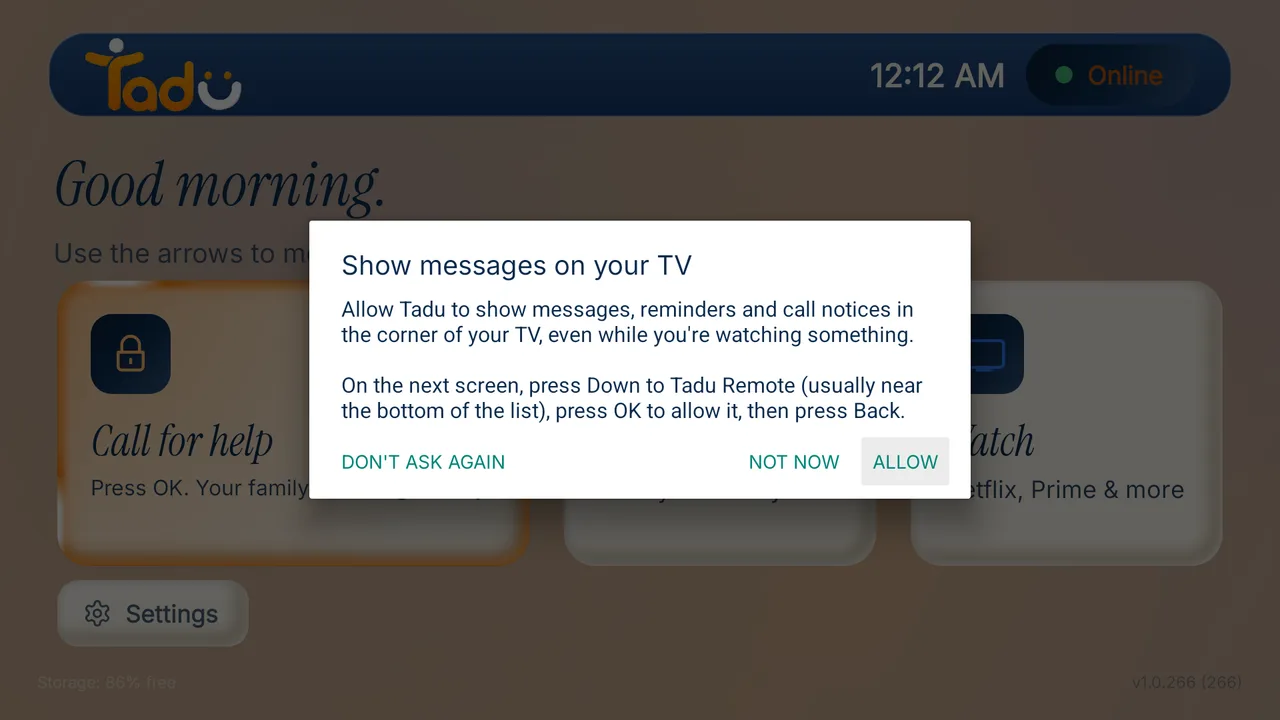
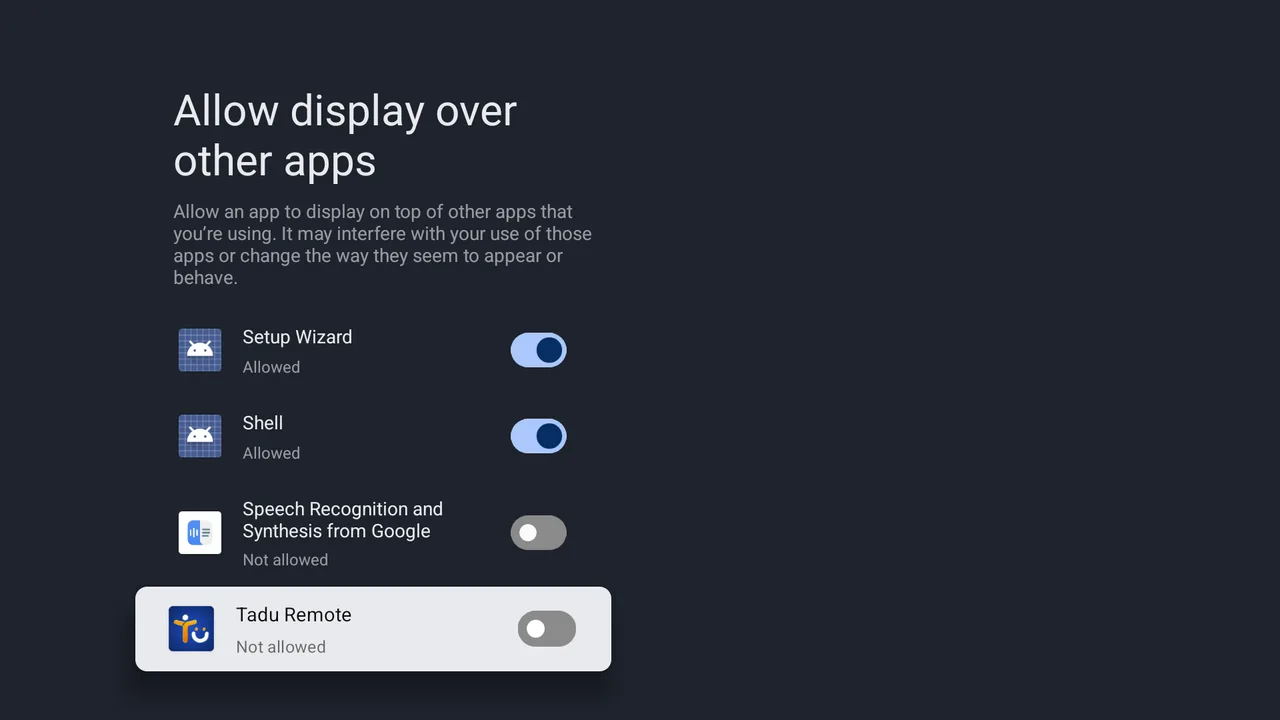
"Show messages on your TV" (display over other apps)
The box reads: “Allow Tadu to show messages, reminders and call notices in the corner of your TV, even while you’re watching something.” Allow is already selected; the other buttons are “Not now” and “Don’t ask again”.
On the next screen, press Down to the very last row, Tadu Remote, press OK to allow it, then press Back. Take care not to change the other apps in the list.
09 / Step
Anonymous usage
Tadu asks “Help improve Tadu” (anonymous usage, which buttons are used most): “Turn on” or “Not now”. Either is fine.
10 / Step
Done
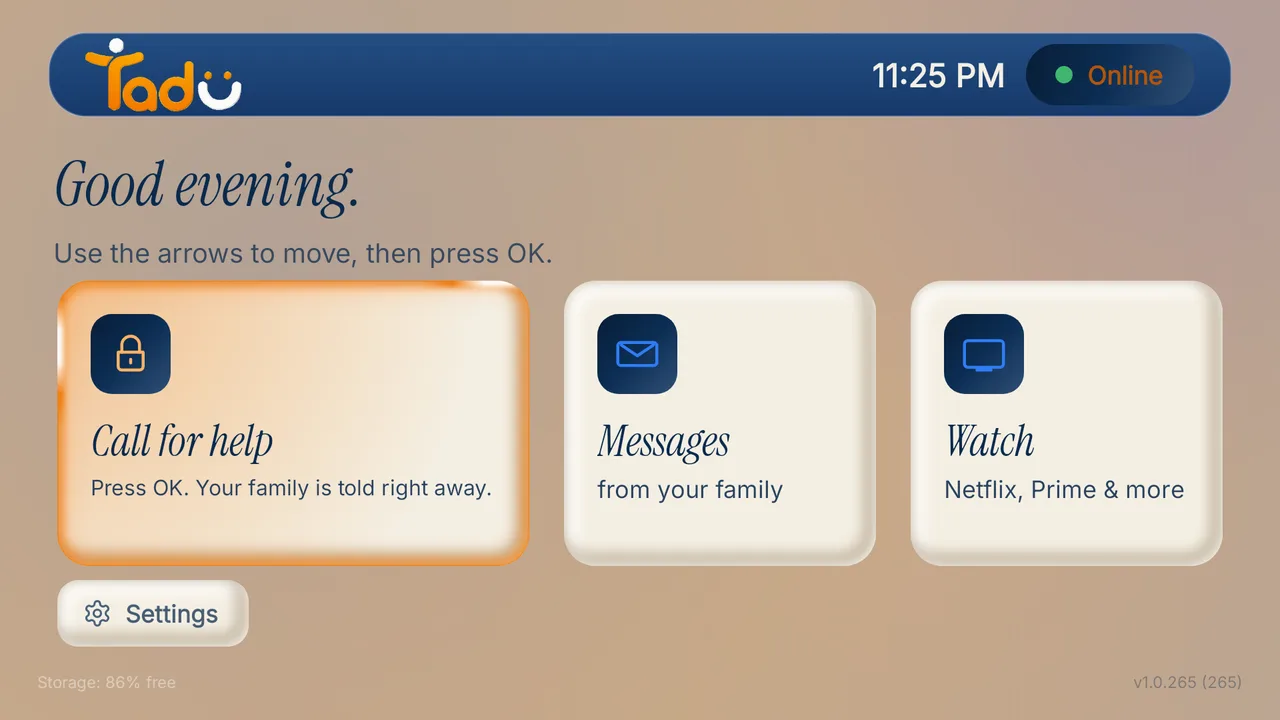
The TV home shows “Online” and a “Call for help” card. On your phone the TV appears as online, with “Start helping” ready.
What will your parent see when you first connect?
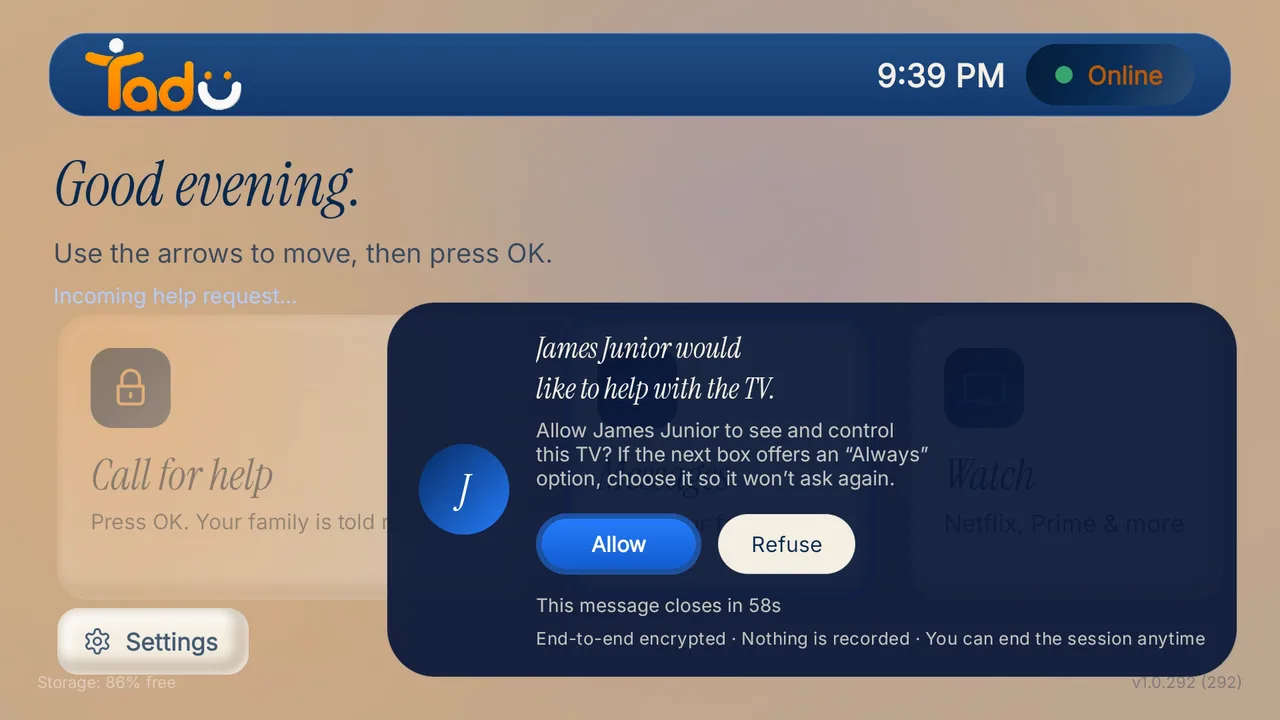
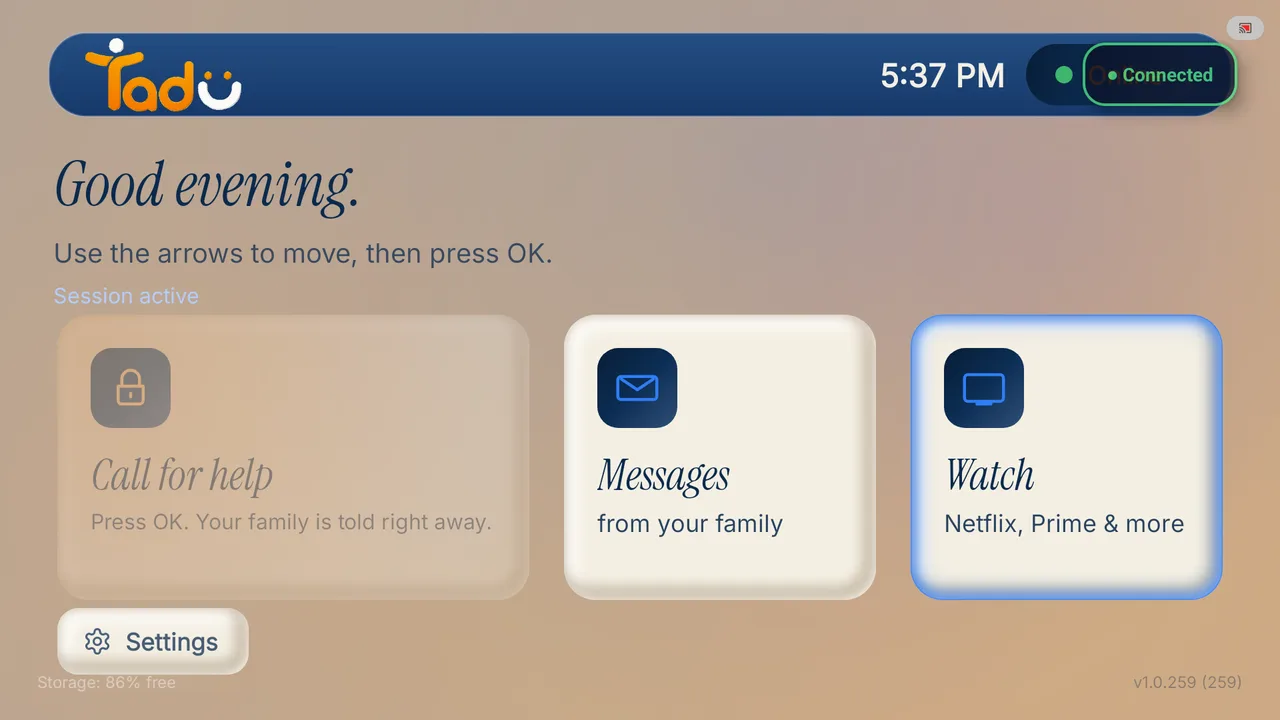
Their TV shows the consent card: “<your name> would like to help with the TV.” with Allow already selected, Refuse beside it, and “This message closes in 60s” counting down. After Allow, the TV says “Starting… choose Start now on the next box.” and Android’s screen-capture box appears with Start now; on Google TV this box appears every session, there is no “Always”. Then the home shows “Connected” while you help. If nobody answers within 60 seconds, nothing starts.
Consent card
Connected
Call for help
What is different on Google TV?
01 / Google TV
Live Cast, your way
Live Cast can appear full screen, on one half or in a corner, so their programme continues.
02 / Google TV
Switch on and off
After the one-time pairing, “Switch on” and “Switch off” from the phone work over home Wi-Fi.
03 / Google TV
If remote control is off
If the accessibility service is ever turned off, the TV’s Tadu Settings shows “Remote control is off” with the line “Press OK to turn it on”.
The TV's Accessibility list doesn't show Tadu Remote Control.
Scroll to the very last row; some TVs put downloaded services under a heading such as "Downloaded apps" or "Services" below the built-in ones. If it is still missing, open the Tadu app on the TV once more so it registers, then return to Accessibility.
I chose Don't ask again on the messages box.
You can turn this on any time in the TV's Settings, under "Show requests over apps" (display over other apps): find Tadu Remote in the list and allow it. Until then, messages still arrive in the TV's Messages inbox and your remote still works.
Why does Android warn about the service?
Every remote-help app gets that warning, because an accessibility service can carry button presses and typed text. Tadu only carries your family's button presses and the text they type to this TV. It never reads or shares your apps, passwords, or what you watch.
The code expired.
The 6-character code refreshes every 5 minutes. Press OK on the TV for a new one and type the new code into your phone.
Can I set it up from abroad?
Mostly. Everything on the phone side is yours. Someone at the TV has to install the app, press the buttons and read you the 6-character code; a sibling, a neighbour, or your parent on a video call. Physical presence at the TV is the security model: only someone who can see the TV can pair it.
 By Dsign Digital Technologies, makers of Tadu RemoteUpdated October 2026