How-to
How to control your parents’ TV from another country
 By Dsign Digital Technologies, makers of Tadu RemoteUpdated October 2026
The honest answer to the most-asked question in long-distance family TV care, including why the usual workarounds fail.

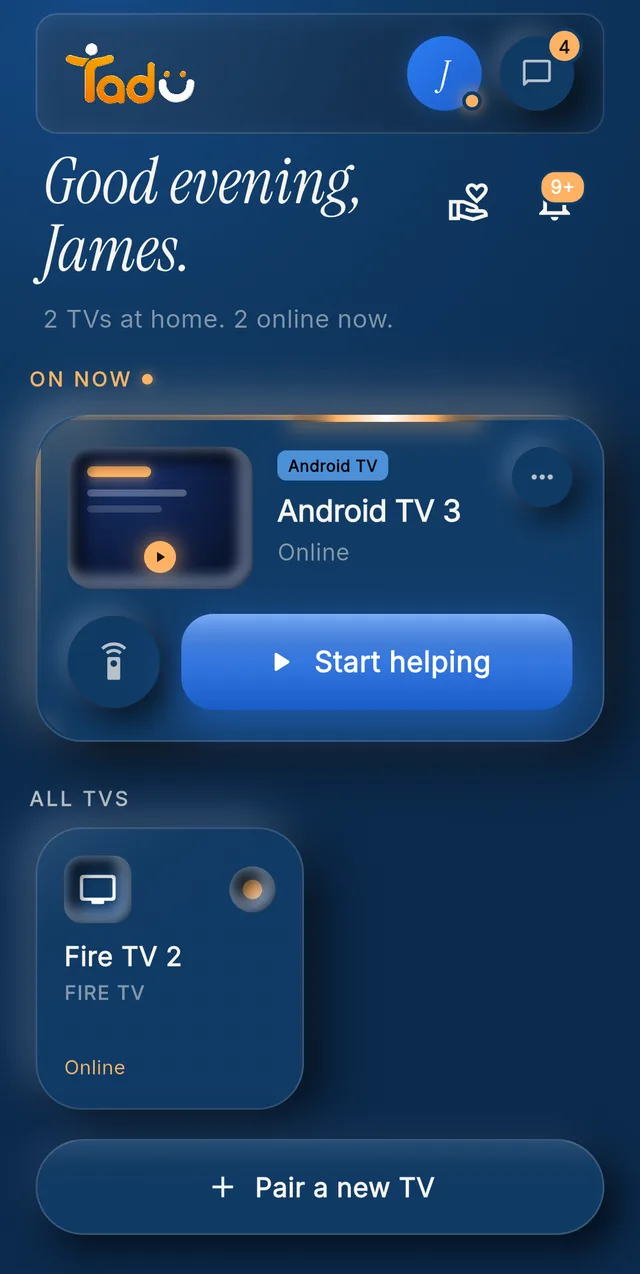
Tap the TV; it asks them · Demo account
The short answer
Ordinary TV remote apps won’t do it. They require your phone and the TV to be on the same Wi-Fi, and none of them show you the screen. To help from another city or country you need cross-network TV assistance: an app on their Fire TV, Google TV or Android TV that streams the screen to your phone over the internet and asks their permission on the TV, every session. That category exists. It is what Tadu Remote does.
What exactly is the problem?
Somebody presses the wrong button on the second remote, the TV jumps to HDMI-2, and the evening is over. Your mother calls. You are 8,000 kilometres away, describing a settings menu you can’t see, to someone who can’t find the button you mean. Every long-distance family knows this call.
The obvious ideas all hit the same wall. The TV maker’s own remote app discovers the TV over the local network, so it works only when your phone is on the same home Wi-Fi. Third-party remote apps have the same limitation, and they send button presses blind. Casting tools are also local-network. Video-calling while your parent points their phone at the screen is the workaround everyone lands on, and it fails exactly when the menus get complicated.
What do people actually try?
Community forums are full of ingenious, miserable fixes: setting a phone hotspot to impersonate the parents’ old router name so a remote app will reconnect; HDMI-CEC tricks to steer one device with another’s remote; shipping a streaming box with an IT-department remote-desktop tool pre-installed. They share three flaws: they need a technical person in the room to set up, they break when anything changes, and the remote-desktop route leaves standing access on a device in your parents’ home, the mechanism behind much of the tech-support fraud older adults report to the FBI’s IC3.
What does a real solution have to do?
Judge any option, including ours, against five requirements:
- 01 / Requirement
Cross-network by design
Your mobile data abroad and their home Wi-Fi must behave like the same room. No same-Wi-Fi requirement, ever. - 02 / Requirement
Show the screen
Button presses without sight are guesswork. You need to see exactly what they see, live. - 03 / Requirement
Consent on their screen
The parent approves each session on the TV, sees who is asking, and can refuse. Anything less turns help into surveillance. - 04 / Requirement
Nothing stored
A live, encrypted session that is never recorded or stored. If the vendor can replay it, so can an attacker. - 05 / Requirement
Nothing for the parent to learn
One press of their own remote. No app, no codes to read out after setup, no new device in the room.
How does it work with Tadu Remote?
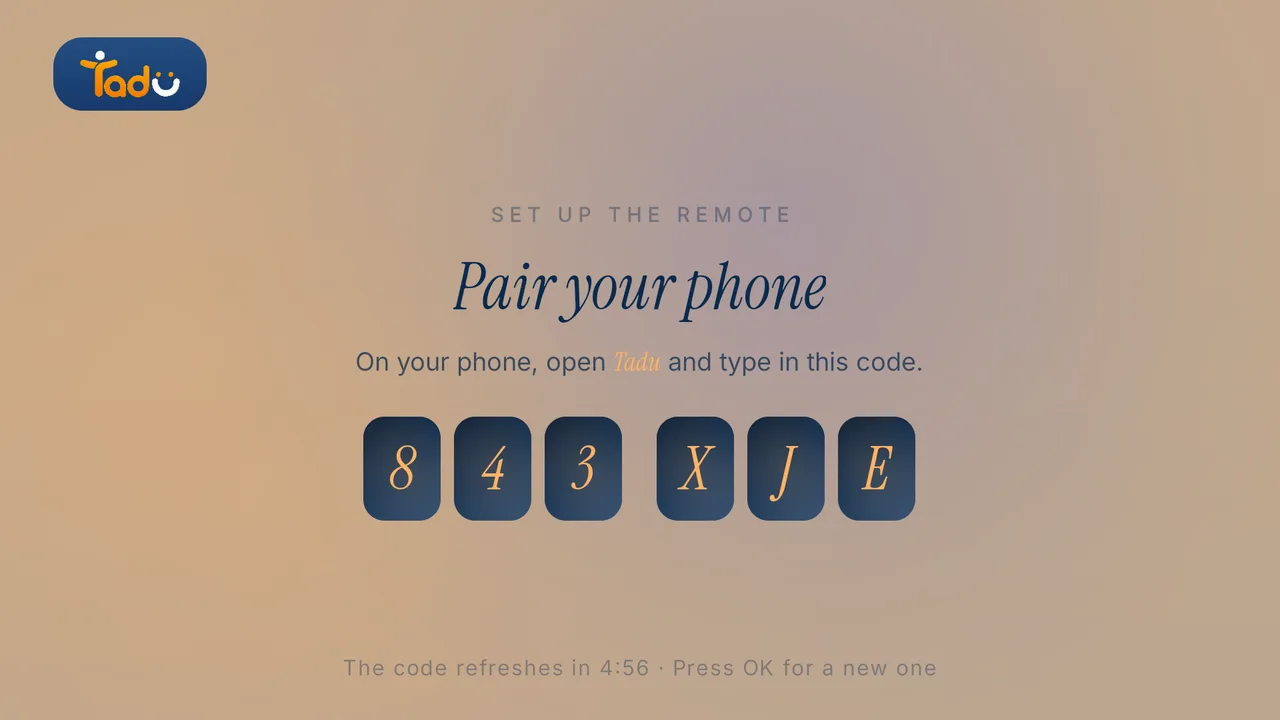
Tadu is a free app on the TV they already own (Fire TV, Google TV or Android TV) and an app on your phone. You pair once with a 6-character code while you are visiting, or talk a neighbour through the setup in a few minutes (Fire TV guide, Google TV guide). After that, from anywhere:
- You tap their TV in your app.
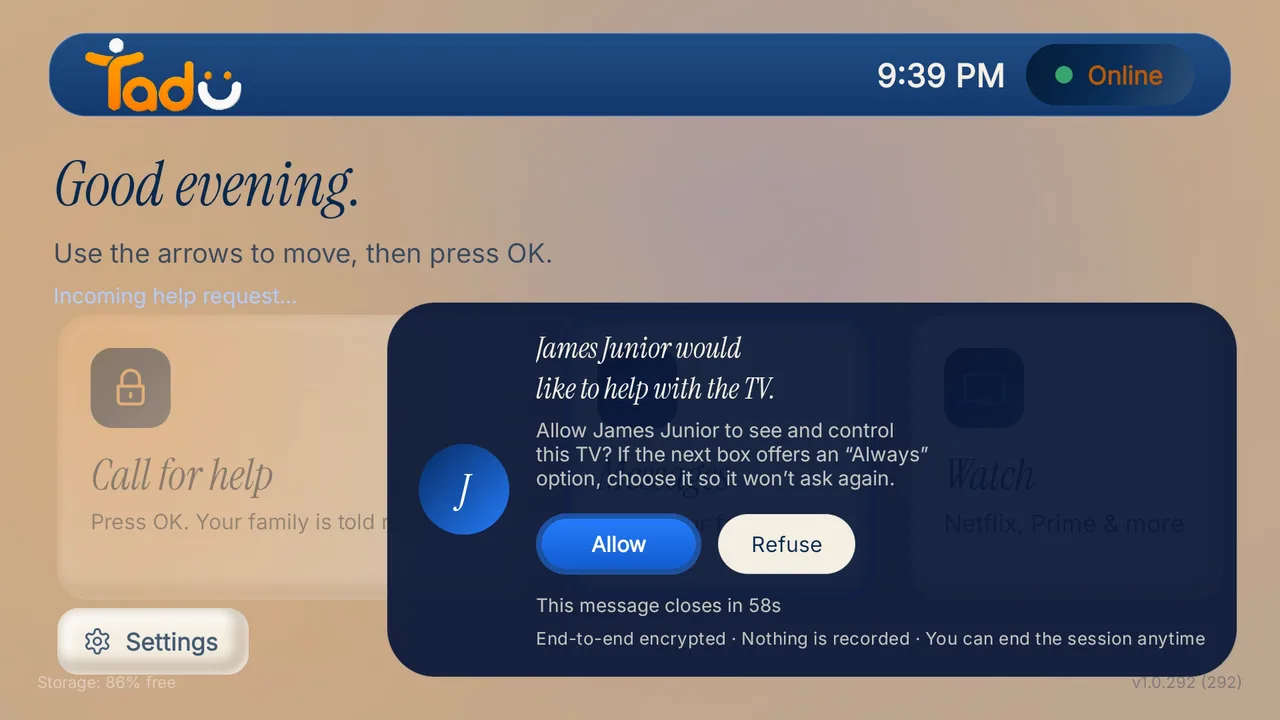
- Their TV asks, with your name and photo. One press of their remote says yes; no answer within 60 seconds means no session.
- Their screen appears live on your phone over an encrypted connection that is never recorded.
- You press the buttons for them: input back to the programme, app signed in, error cleared.
The same connection carries the rest of the family layer: a short message on the TV when the phone goes unanswered, photos presented live on the biggest screen in the house, your camera live on their TV, and a one-press Call for help that rings every helper in the family.
What about the hardware boxes?
There are dedicated senior-TV hubs that solve cross-network control by adding a box to the TV, usually with a subscription and, in the best-known cases, a room camera you can “check in” through. If a family wants monitoring, that is a considered choice to make openly. But it is a different product: hardware to buy and install, a camera in the living room, and check-ins that don’t start with the parent’s yes. Software on the TV they already own, with per-session consent and nothing stored, keeps the parent the decision-maker. That is, in our view, the whole point.
Set up their TV
A free app on the TV they already own.
Install Tadu on their Google TV, Android TV or Fire TV, then pair it with your phone using the 6-character code it shows. It takes a few minutes, once.
Google TV · Android TV
Get it from Google Play
Open the listing, choose Install and pick their TV, or search “Tadu Remote” in Google Play on the TV itself.
Fire TV
Get it from the Amazon Appstore
On the Fire TV, search the Amazon Appstore for “Tadu Remote” and install it. The TV app is free.
For the parent
A printable TV help card
One page to keep by the TV that explains Tadu to your parent, in 11 languages.
Can I control my parents' TV over the internet from another country?
Yes, but not with ordinary TV remote apps, which require your phone and the TV to be on the same Wi-Fi. You need a tool built for cross-network assistance: an app on the parent's Fire TV, Google TV or Android TV that connects to your phone over the internet, shows you the screen live, and asks the parent's permission on the TV for every session. Tadu Remote is built exactly for this.
Why doesn't the TV maker's own remote app work from far away?
Official remote apps use the local network to find and control the TV, so they stop working the moment your phone leaves the home Wi-Fi. They also only send button presses. They cannot show you what is on the screen, which is most of what you need when helping someone by phone.
Is there a way to do this without putting a camera in their room?
Yes. Screen sharing from the TV itself needs no camera: the TV streams its own screen, encrypted, to the helper's phone during an approved session. Products that add a room camera are monitoring devices, a different category with different privacy stakes.

Keep reading
Related guides
How-to
How to fix your parent’s Fire TV remotely, without being there
The five failures behind most “the TV is broken” calls (wrong input, signed-out apps, frozen apps, lost settings, update prompts) and how to fix each one from your phone.
Read the guide →October 2026
How-to
An NRI’s guide to helping your parents in India with their TV
For families abroad with parents in India: why the usual apps fail across borders, what to set up on your next visit or one guided call, and how consent-first help works from abroad.
Read the guide →October 2026
Setup
Set up Tadu Remote on a Fire TV
Install the free TV app, type the 6-character code into your phone, link the remote with Amazon’s 4-digit code and turn on screen sharing. Every screen your parent will see.
Read the guide →October 2026