
How-to
An NRI’s guide to helping your parents in India with their TV
 By Dsign Digital Technologies, makers of Tadu RemoteUpdated October 2026
The practical playbook for the 9pm-IST call: what fails across borders, what to set up on your next visit, and how consent-first TV help works from abroad.
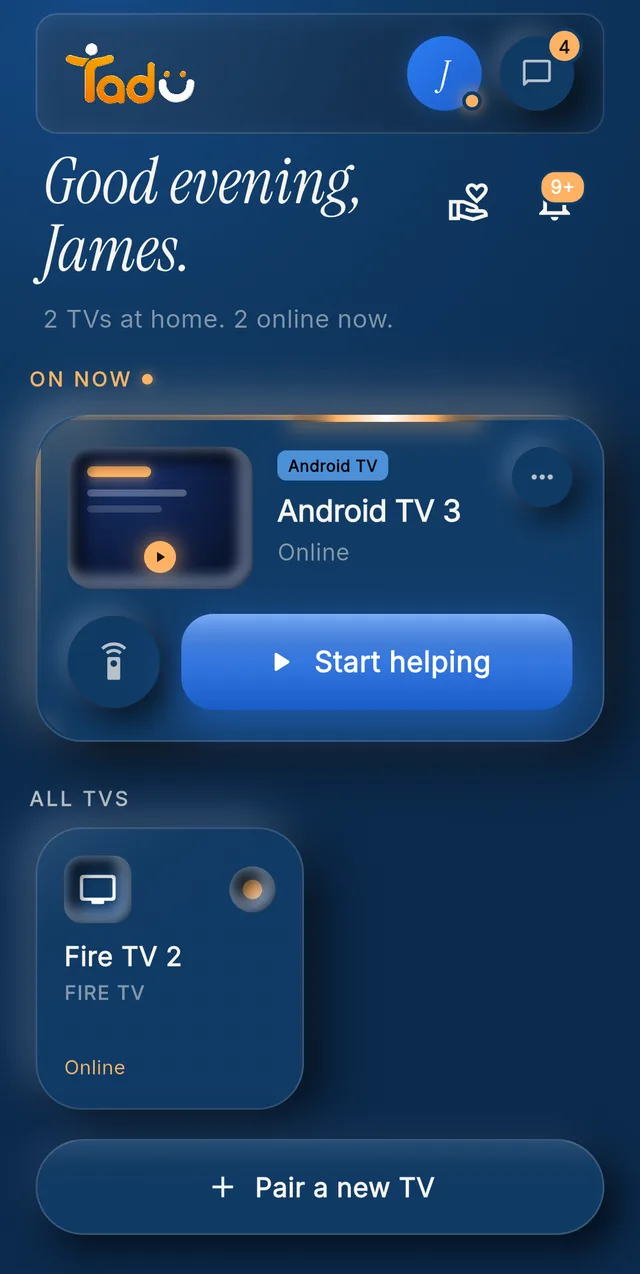
Their TVs on your phone · Demo account
The short answer
Yes, you can fix your parents’ TV in India from anywhere abroad, but not with ordinary remote apps, which need your phone on their home Wi-Fi. You need cross-network TV assistance: an app on their Fire TV, Google TV or Android TV that streams their screen to your phone over the internet and asks their permission on the TV, every session. Set it up once, ideally on your next visit, and the long blind phone call becomes a short fix you can see.
What is the 9pm-IST call?
It arrives at your lunch break, your dinner, your school run, depending on where you live: the serial has vanished, the screen says something about an input, and Ma is holding two remotes, unsure which one did it. You cannot see the screen. She cannot describe the menu. Someone suggests a video call with the phone pointed at the TV, and twenty minutes later everyone is more frustrated and nothing is fixed.
The move abroad didn’t take away your willingness to be the family’s tech person. It took away your ability to walk into the room. That specific loss is what this guide is about restoring.
Why do the usual answers fail across borders?
- 01 / Why it fails
The TV maker’s remote app
Finds the TV over the home network. It stops working the moment your phone is not on your parents’ Wi-Fi in India, and it never shows you the screen. - 02 / Why it fails
Casting and photo apps
Also same-network tools; from abroad they don’t see the TV at all. - 03 / Why it fails
Remote-desktop software
Built for IT departments, it can cross networks, but it leaves standing access on a device in your parents’ home, a mechanism behind tech-support scams that target older adults. Not the thing to install in one country and manage from another. - 04 / Why it fails
The video-call workaround
A parent pointing their phone camera at the TV fails precisely when menus get complicated, which is the only time you need it.
What does the setup involve: one visit, or one guided call?
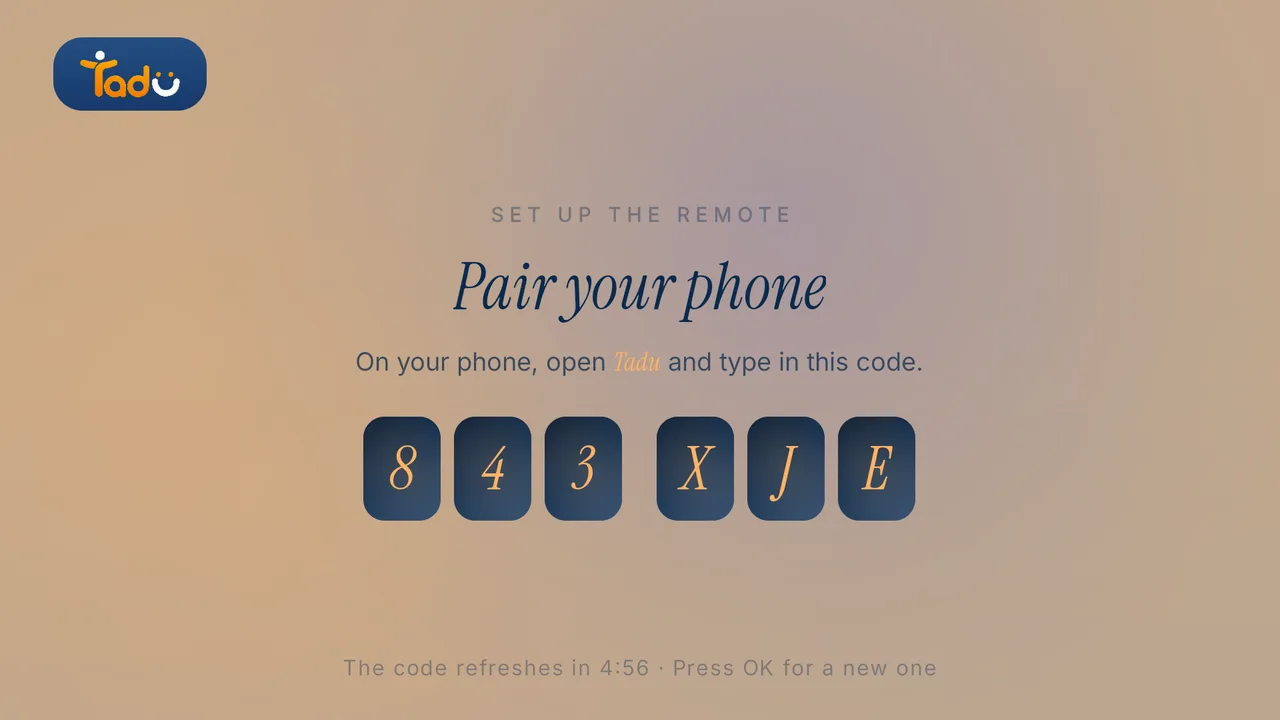
Cross-network TV care needs one thing installed at the India end: the free TV app, from the TV’s own app store, paired to your phone with a 6-character code shown on the TV. If a visit is coming up, it is a few minutes between chai and dinner. If not, a sibling in India, a neighbour, or your parents themselves can do it while you guide them on a video call and they read you the code, a last blind support session that buys you out of all the future ones. Fire TV sticks and Android TVs (many smart TVs in Indian homes) are both supported (Fire TV guide, Google TV guide), and there is no hub to ship through customs and no camera to justify to anyone.
After that, helping works the same from abroad: you tap their TV in your app, their TV shows your name and photo, they press OK on their own remote, and their screen appears live on your phone over an encrypted connection that is never recorded. You fix the input, sign the app back in, clear the prompt. Ma is back in the serial before the tea goes cold.
What else can you do on the big screen?
Once the connection exists, the same consent-first channel carries the warmer half of the relationship. A short message on their TV when the phone goes unanswered: “Take my call”, “Happy anniversary”. The grandchildren’s photos presented live on the biggest screen in the house instead of a thumbnail. Your camera live on their TV at 8am IST. Reminders that appear at the right hour in their evening, not yours (the evening medicine, the Thursday doctor visit), as a note or a photo, with OK to confirm and Back to see it again in 5 minutes, and you told when they pressed OK.
And Call for help closes the loop in the other direction: one press on their TV rings every helper in the family, across every time zone. Whoever is awake takes it; everyone else is told. Your parent never has to decide whom to “bother”.
What are the practical notes for the diaspora?
- 01 / Note
Subscribe from your own store region
Billing runs through your App Store or Google Play account abroad, in your currency. No Indian payment method or paperwork needed at the parents’ end. - 02 / Note
Their side stays zero-learning
No app for them to open, no codes to read out after setup: the consent card, messages, reminders and Call for help all appear on the TV they already watch. - 03 / Note
Consent stays with them
Every screen-sharing session starts with their Allow, and they can refuse or end one at any moment. Help, not oversight, is the relationship. - 04 / Note
Quality follows the TV’s Wi-Fi
If sessions feel slow, the fix is usually moving the router closer to the TV in India, not anything at your end. - 05 / Note
A card for the person at the TV
The printable TV help card is available in Hindi, Bengali, Marathi, Telugu and Tamil as well as English.
Set up their TV
A free app on the TV they already own.
Install Tadu on their Google TV, Android TV or Fire TV, then pair it with your phone using the 6-character code it shows. It takes a few minutes, once.
Google TV · Android TV
Get it from Google Play
Open the listing, choose Install and pick their TV, or search “Tadu Remote” in Google Play on the TV itself.
Fire TV
Get it from the Amazon Appstore
On the Fire TV, search the Amazon Appstore for “Tadu Remote” and install it. The TV app is free.
For the parent
A printable TV help card
One page to keep by the TV that explains Tadu to your parent, in 11 languages.
I live abroad and my parents are in India. Can I really control their TV from here?
Yes. With the free Tadu app on their Fire TV, Google TV or Android TV in India, you can see their screen live on your phone from anywhere else and press the buttons for them, over ordinary internet connections with no same-Wi-Fi requirement. Your parent presses Allow on their own TV before every screen-sharing session.
What do I need to set up in India, and can it be done without me being there?
One thing: the TV app, installed from the TV's own app store and paired with a 6-character code shown on the TV. Easiest on your next visit (it takes a few minutes); otherwise a sibling, neighbour, or the parent themselves can install it while you guide them on a video call and they read you the code. It is the last blind phone-support session you should need.
Does the time difference or distance make it unreliable?
No. Sessions run over ordinary internet connections and behave the same across an ocean as across a street. Quality follows the slower of the two connections (usually the TV's Wi-Fi in India), not the distance. The time difference actually helps families: siblings in different time zones can share the helping, and whoever is awake responds.
Can my siblings in other countries help my parents' TV too?
Yes. Family helpers can be added wherever they live, as long as the app is available in their country, and helpers never need their own plan. When your parent presses Call for help on their TV, every helper's phone rings like a call; whoever is free (or awake) accepts, and the others are told. Tadu Plus covers you plus 2 helpers on 1 TV; Tadu Family covers you plus 5 helpers per TV, up to 3 TVs.

Keep reading
Related guides

How-to
How to control your parents’ TV from another country
Why almost every remote app fails the moment you leave their Wi-Fi, what the workarounds involve, and how cross-network, consent-first TV help works.
Read the guide →October 2026

How-to
How to send messages and photos to a parent’s TV, from anywhere
When the phone goes unanswered, the TV is where they are. Short messages on the TV, photos presented live on the biggest screen in the house, and reminders at the hour that matters.
Read the guide →October 2026
Setup
Set up Tadu Remote on a Fire TV
Install the free TV app, type the 6-character code into your phone, link the remote with Amazon’s 4-digit code and turn on screen sharing. Every screen your parent will see.
Read the guide →October 2026